Freelancers
 Advertisers
 Churches
 Charities
 Free Plugin
 Free vs Pro
 Reviews
 Blog
Blog Guides


You can now sell subscription boxes with WPSubscription. A box lets customers get several products together for one price through a single WooCommerce subscription. Customers receive the products together, and the subscription renews based on the schedule they choose.
Subscription Boxes
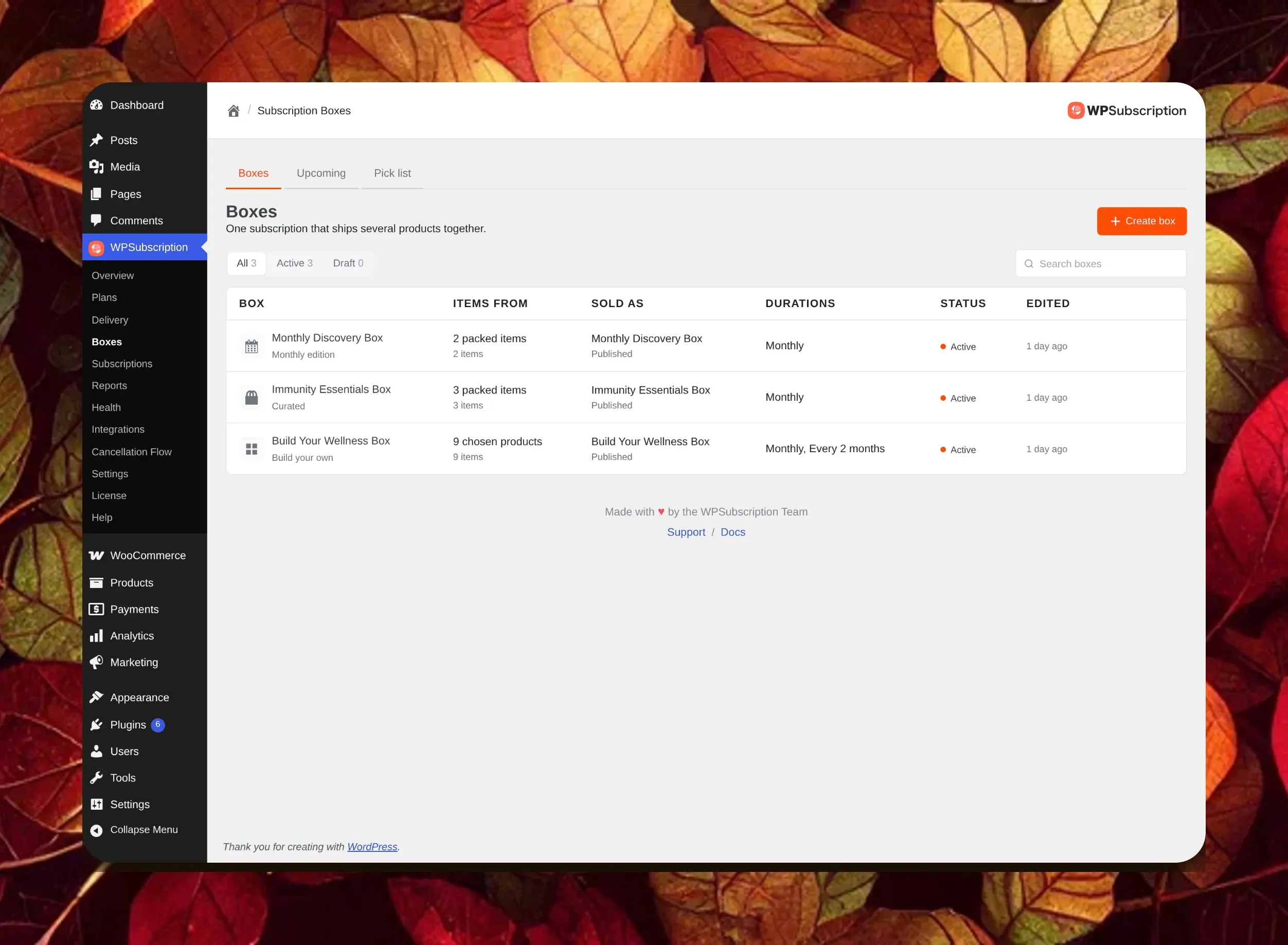
A subscription box sells a group of products as one repeat order instead of single items. Your customer pays once and gets the box again each cycle, which turns a one-off sale into steady recurring revenue.
It works like any other WooCommerce product, so it sits next to the rest of your catalogue. You manage every box from one screen, next to WPSubscription’s other subscription features.
How Do Subscription Boxes Work?
You create a box from the Boxes screen, and it becomes a normal WooCommerce product you can sell and manage. When you make it, you choose how the box is filled, and that choice shapes the rest of the setup.
There are three types to pick from. The customer can build their own box from items you allow, you can pack a handpicked box that everyone receives, or you can plan a fresh edition for each month. You can change the type and the contents later, so your first choice is not final.
Build Your Own Box
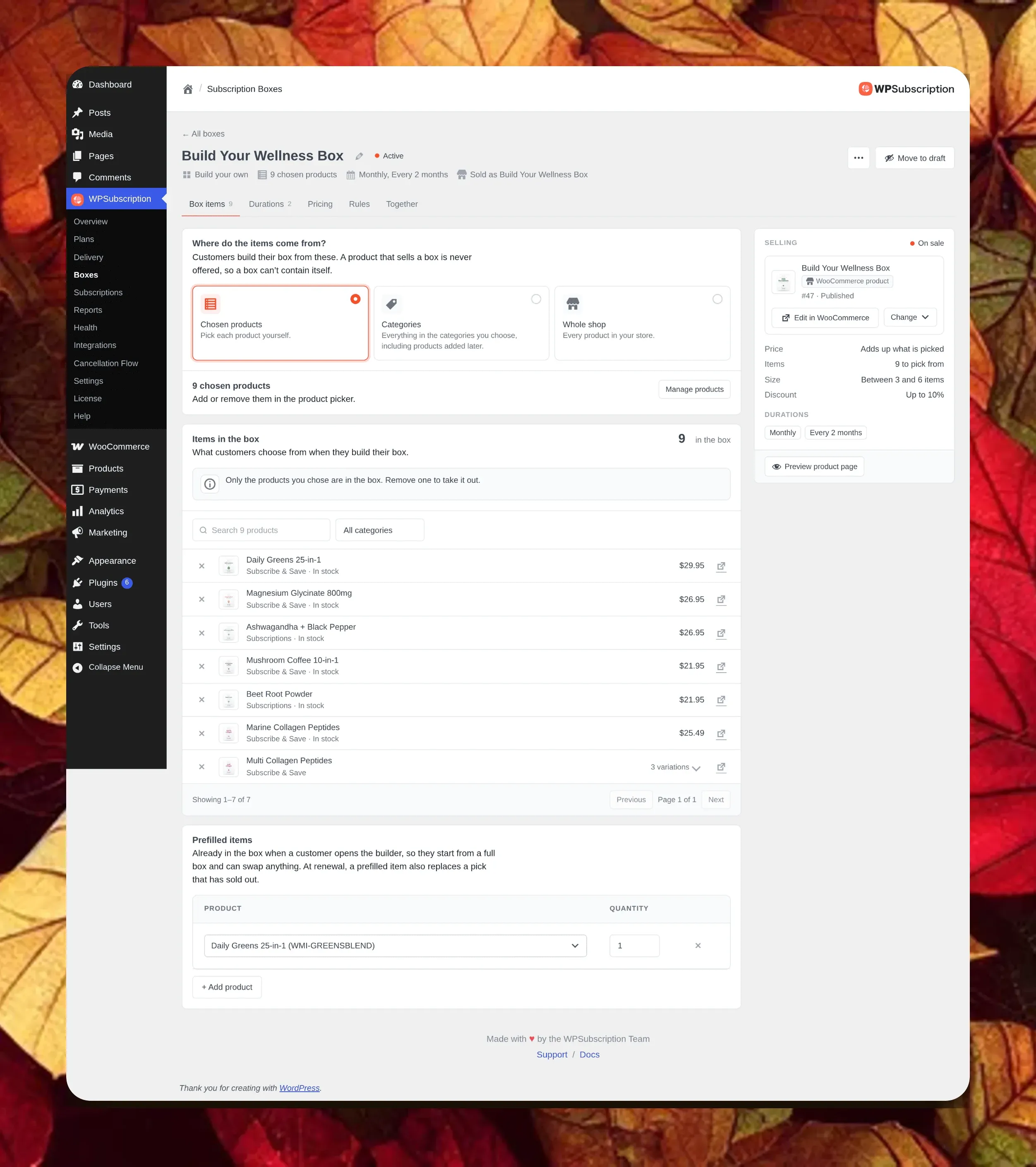
With a build your own box, the shopper fills the box on your product page. They choose how often it ships, add the items they want with plus and minus buttons, and watch the total update as the box fills.
You stay in control of what is on offer. You decide which products they can pick from, whether that is a short list, a whole category, or the full shop, and the box keeps to the size and rules you set.
Pricing
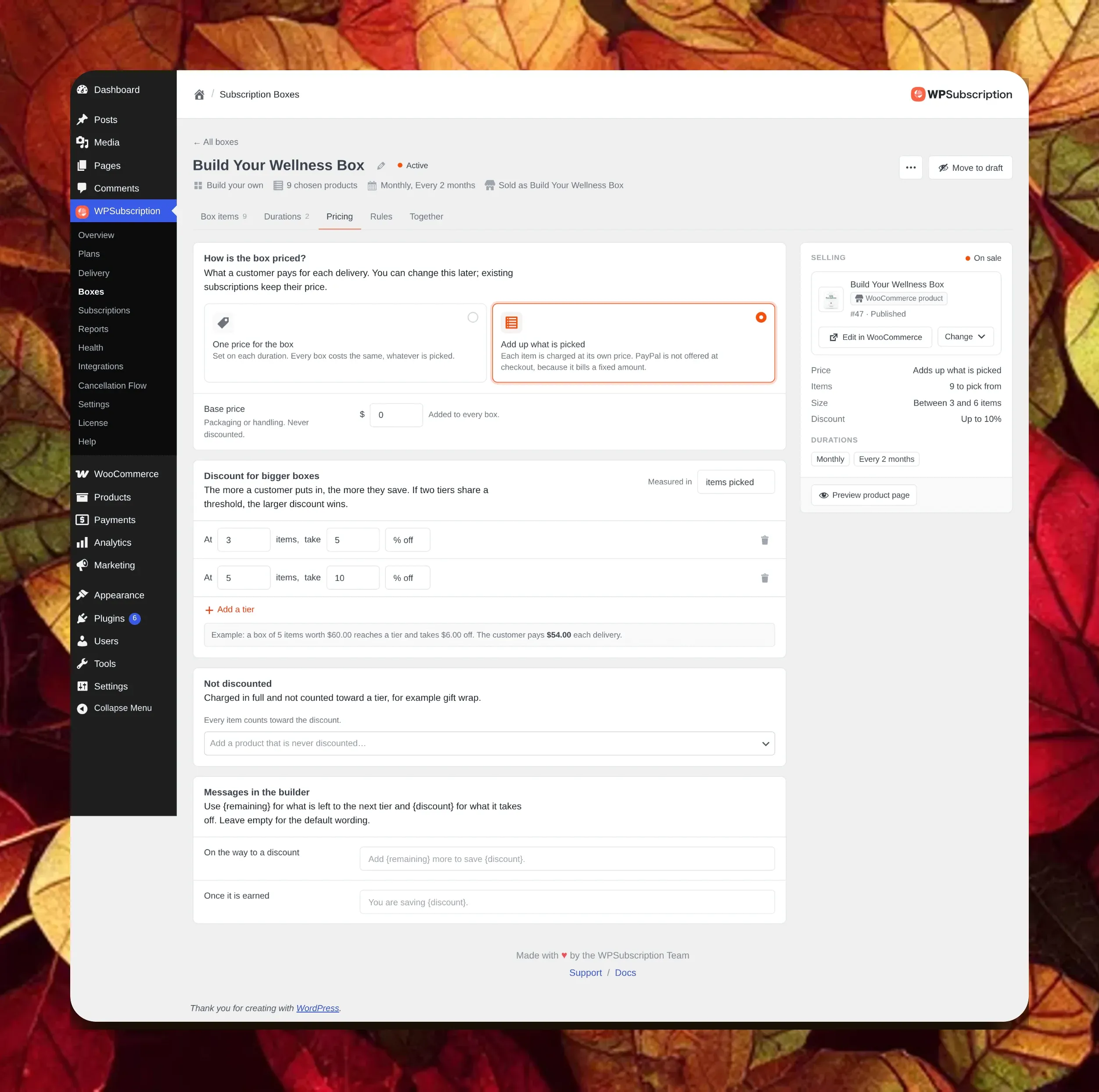
You can price a box in two ways. Charge one flat price for every box, or add up the items the customer picks so the price follows what goes in.
When the price adds up, you can reward fuller boxes with discount tiers. A rule like ten percent off at five items shows in the builder as the customer gets close, and it applies the moment they reach it. This buy more, save more pricing turns bigger boxes into bigger repeat orders, which lifts your MRR over time.
Monthly Editions
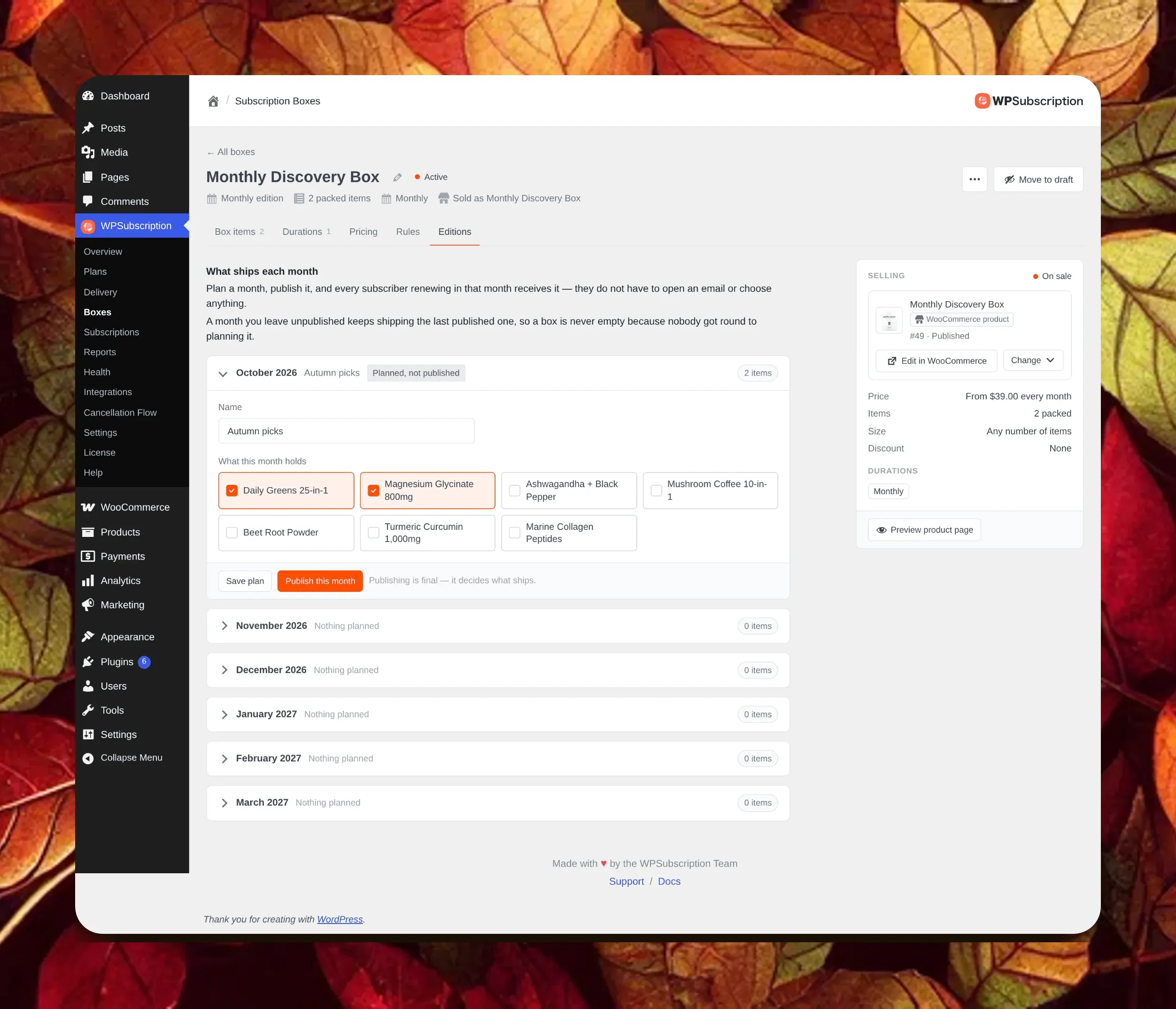
A monthly edition box is made for clubs, where the surprise inside is the point. You plan a new set of products on each month’s card, then publish the month when it is ready.
Subscribers get that month’s box when their subscription renews, with nothing to pick. If you have not planned the next month yet, the box keeps shipping the last one you published, so a renewal never goes out empty.
Requirements
Boxes need WPSubscription Pro 2.5.0, with the free plugin on 2.5.0 or newer. Without Pro, the Boxes screen still appears, but as a preview with sample data so you can see how it works.
Adding boxes does not touch the rest of your store. Your current products and active subscriptions keep working as before, and the Boxes screen stays quiet until you create your first box.
Ready to sell your first box?
Open WPSubscription in your WooCommerce store, go to Boxes, and create one.