Freelancers
 Advertisers
 Churches
 Charities
 Free Plugin
 Free vs Pro
 Reviews
 Blog
Blog Guides


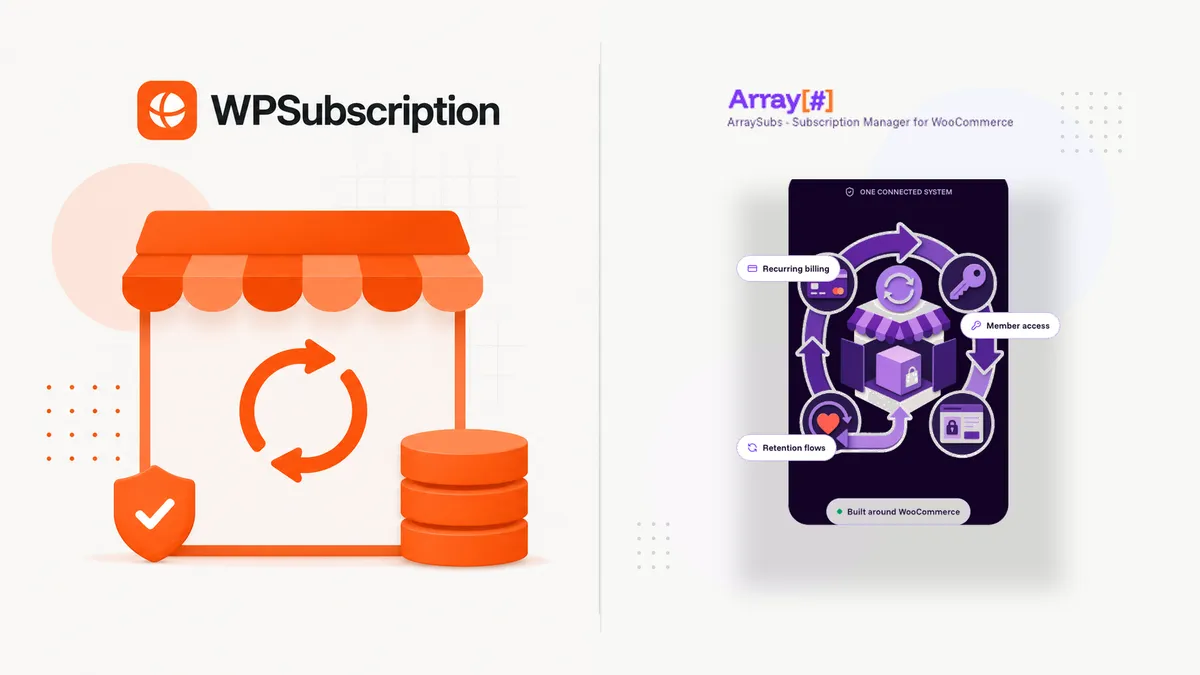
If you sell on WooCommerce and want recurring revenue, two names that come up again and again are WPSubscription and WP Swings’ Subscriptions for WooCommerce. Both start free on WordPress.org, both add subscription billing to your store, and both offer a paid Pro tier. Where they differ is in the extras, which features are free, and how you pay over time.
WP Swings leads with recurring payments and puts a lot in its free plugin: a build-a-box subscription box, membership plans with access rules, sign-up fees, and an AI subscription-health widget. Its Pro plan adds variable subscriptions, pause and resume, plan switching with proration, gift subscriptions, and a long list of payment gateways. WPSubscription covers the core billing lifecycle in its free version (recurring payments, free trials, cancellations, and a cancellation survey) and adds split payments, delivery scheduling, and win-back recovery on its paid plans, with a lifetime-license option.
This is the side-by-side comparison: where each plugin leads, where it trails, and a clear recommendation for who should pick which.
TL;DR — The Verdict
WPSubscription costs less in year one ($89/yr against $129/yr for one site); after that both renew at $129/yr. Pick WP Swings if you want a build-a-box subscription box and membership rules in a free plugin, or you need gifting, pause and resume, or a wider choice of payment gateways. Pick WPSubscription if you want split payments, delivery scheduling, and win-back campaigns (paid plans), a free cancellation survey, or a one-time lifetime license from $199.
Why This Comparison Matters
Both plugins solve the same headline problem: WooCommerce doesn’t do subscriptions out of the box. But “add subscriptions” means very different things depending on what you sell.
A curated-box store wants shoppers to assemble their own recurring bundle. A course seller wants trials and installments. A physical-goods store wants delivery scheduling and shipment tracking. A membership site wants self-service upgrades and downgrades. The right plugin is the one whose strengths line up with your model — not just the one with the longest feature list.
So this isn’t only a feature match-up. It’s about picking the tool built for the way your store makes money — and not overpaying for capabilities you’ll never switch on.
Quick Overview: The Two Plugins
WPSubscription
A focused WooCommerce subscription plugin by Convers Lab. The free version covers the core billing workflow; the paid plans add the extras:
- Simple subscription products in the free version; variable subscriptions on paid plans
- Flexible billing — daily, weekly, monthly, yearly
- Free trials (free) and sign-up fees (paid plans)
- Split payments / installments on paid plans, with no extra plugin
- Customer self-service to update payment details and cancel (free), plus upgrade and downgrade (paid plans)
- Delivery scheduling for physical subscription boxes (paid plans)
- Subscription Recovery win-back campaigns (Standard and Pro plans, or a $58/yr add-on on Basic) and a Cancellation Survey (free; insights on paid plans)
- Subscription Health analytics: MRR, churn, and revenue at risk (paid plans)
- REST API, hooks, and filters for developers (paid plans)
- Free version, paid plans from $89/yr (renews at $129/yr for one site), and lifetime licenses from $199
- Gateways: Stripe and PayPal in the free version; Mollie, Razorpay, and Xendit on paid plans; Paddle through the separate WP SmartPay plugin; and WooEpay
WP Swings — Subscriptions for WooCommerce
A capable freemium subscription plugin from WP Swings, a vendor with a broad catalogue of WooCommerce extensions. The free version has been on WordPress.org since April 2021, has 10,000+ active installs, and is rated 4.5/5 from 180 ratings. It puts a lot in the free plugin, including a subscription-box builder:
- Build-a-box / subscription box — customers handpick products into a recurring bundle (free since v1.8.0, March 2025)
- Recurring billing for simple subscription products, with free trials and sign-up fees (free)
- Membership plans with content and product access rules (free since v2.0.0, June 2026)
- An AI Subscription Health widget with a churn score (free)
- A read-only REST API (free); Pro adds endpoints to cancel, pause, and reactivate subscriptions from a mobile app
- Pro features: variable subscriptions, customer pause and resume, upgrade and downgrade with proration (including wallet credit), renewal-date synchronization, gift subscriptions, a one-time purchase option, admin-created subscriptions, and export
- Pro reporting: an Advanced Report View with AI MRR/ARR forecasting and churn prediction
- Failed payments: automatic retries on a Day 1/3/5 schedule on Pro; the free version has a manual admin retry
- Gateways: WooCommerce Stripe (cards, SEPA Direct Debit), WP Swings’ own PayPal integration (US merchants only), PayFast, and Amazon Pay in the free version; Pro adds WooCommerce PayPal Payments, Mollie, Braintree, MultiSafepay, Eway, Authorize.Net, PayHere, Payment Plugins for Stripe, and manual payments (cash on delivery, bank transfer, cheque)
- Compatible with LearnPress, WPML, Multisite, HPOS, and CartFlows
WP Swings is actively maintained, with releases roughly every month; several 2026 releases included security fixes, all of them patched. Pro costs $129/yr for one site, $269/yr for five, and $529/yr for ten, with cheaper two-year plans and a 30-day money-back guarantee. There is no lifetime license.
Pricing Over Three Years
Both plugins are free to start. The paid plans are priced like this:
| Plan | WPSubscription | WP Swings Subscriptions Pro |
|---|---|---|
| Free version | ✓ On WordPress.org | ✓ On WordPress.org |
| 1 site | $89/yr (renews at $129/yr) | $129/yr |
| 5 sites | $149/yr (renews at $299/yr) | $269/yr |
| Larger plan | 50 sites: $299/yr (renews at $599/yr) | 10 sites: $529/yr |
| Two-year plan | ✕ Not offered | $219 (1 site) · $459 (5) · $899 (10) |
| Lifetime option | $199 (1 site) · $429 (5) · $799 (50) | ✕ Not offered |
| Refund window | 14 days | 30 days |
| Transaction fee | None (gateway fees still apply) | None (gateway fees still apply) |
For one site over three years, WPSubscription’s annual plan costs $347 ($89 + $129 + $129). WP Swings Pro costs $387 on yearly plans, or $348 if you buy the two-year plan and then one more year. On yearly plans that is close to a tie. The real price difference is the lifetime license: $199 once for one site, with no license renewals.
One catch: Subscription Recovery is not included in WPSubscription’s Basic plan. For win-back campaigns on a lifetime license, choose Standard lifetime ($429, 5 sites). On a yearly Basic plan, Recovery is a $58/yr add-on; lifetime Basic cannot add it.
Feature Comparison Table
Here’s the side-by-side: ✓ included, ✕ not available, and “Paid plans” or “Pro” where a feature needs a paid license. The WPSubscription column is highlighted, and the rows where the two plugins genuinely diverge are shaded.
| Feature | WPSubscription | WP Swings Subscriptions |
|---|---|---|
| Simple subscription products | ✓ | ✓ |
| Variable subscription products | ✓ Paid plans | ✓ Pro |
| Free trials | ✓ | ✓ |
| Sign-up fees | ✓ Paid plans | ✓ Free |
| Daily/weekly/monthly/yearly billing | ✓ | ✓ |
| Automatic & manual renewals | ✓ Manual on paid plans | ✓ Manual on Pro |
| Build-a-box / subscription box | ✕ | ✓ Free |
| Split payments / installments | ✓ Paid plans | ✕ |
| Delivery scheduling | ✓ Paid plans | ✕ |
| Renewal-date synchronization | ✕ | ✓ Pro |
| Gift subscriptions | ✕ | ✓ Pro |
| Customer pause & resume | ✕ | ✓ Pro |
| Win-back campaigns (Subscription Recovery) | ✓ Standard & Pro | ✕ |
| Cancellation Survey | ✓ Free (insights on paid) | ✕ |
| Failed-payment retries | ✓ Smart retry on paid plans | ✓ Auto retry on Pro (manual in free) |
| Subscription analytics (MRR, churn) | ✓ Paid plans | ✓ AI widget free; forecasting on Pro |
| Customer self-service dashboard | ✓ | ✓ |
| Upgrade / downgrade with proration | ✓ Paid plans | ✓ Pro |
| REST API | ✓ Paid plans (plus hooks & filters) | ✓ Read-only free; cancel, pause & reactivate on Pro |
| Payment gateways | Stripe, PayPal (free); Mollie, Razorpay, Xendit (paid); Paddle via WP SmartPay; WooEpay | Stripe, PayPal (US only), PayFast, Amazon Pay (free); Pro adds Mollie, Braintree, Authorize.Net, MultiSafepay, Eway, PayHere, PayPal Payments, and more |
| Free version | ✓ | ✓ |
| Lifetime license | ✓ From $199 | ✕ 1- and 2-year plans only |
| Entry price (1 site) | $89/yr (renews at $129/yr) | $129/yr |
|
Start with WPSubscription →
Free version on WordPress.org · Paid plans from $89/yr (renews at $129/yr) · Lifetime from $199
|
||
The pattern is clear. The two plugins agree on the subscription fundamentals. WP Swings gives you more in its free plugin (subscription box, membership rules, sign-up fees) and leads on gifting, pause and resume, renewal-date synchronization, and payment gateways. WPSubscription leads on split payments, delivery scheduling, and retention extras (win-back campaigns and a cancellation survey), and it is the only one of the two with a lifetime license. On yearly pricing, they are close.
On paper these two plugins overlap more than they differ. Pick the one whose extras match how your store makes money: boxes, memberships, and gateway choice with WP Swings; installments, delivery schedules, and win-back campaigns with WPSubscription.
Who Should Use Which
Choose WP Swings if…
Your core product is a customer-curated subscription box (a snack box, coffee club, or beauty box where shoppers handpick items) and you want it in a free plugin. It also fits stores that need membership access rules, gift subscriptions, pause and resume, or a gateway such as Braintree, Authorize.Net, or PayFast, and stores that already run other WP Swings extensions.
Choose WPSubscription if…
You want split payments, delivery scheduling, and win-back campaigns (paid plans), a cancellation survey in the free version, Razorpay or Xendit support, or a one-time lifetime license instead of yearly renewals. A good fit for course creators, digital sellers, agencies, and physical-goods stores that ship on a schedule.
WPSubscription is an especially strong match when you sell higher-ticket items and want to offer installments, when you’re an agency with more than ten client stores (its Pro plan covers 50 sites; WP Swings’ largest plan covers 10), or when you simply don’t want to renew a license every year. Both plugins keep subscription data in your own WooCommerce database and take no cut of your revenue, so data ownership isn’t a reason to pick one over the other.
Where WP Swings May Be the Better Fit
To keep this fair — WP Swings can be the smarter choice when:
- The box IS the product. WP Swings’ build-a-box is in its free plugin. WPSubscription has no box builder, so reproducing that flow takes more work.
- You want more in the free version. Membership plans with access rules, sign-up fees, a read-only REST API, and an AI subscription-health widget are all free in WP Swings. In WPSubscription, sign-up fees and the REST API need a paid plan.
- You need pause, gifting, or aligned renewal dates. WP Swings Pro has customer pause and resume, gift subscriptions, renewal-date synchronization, and proration that can credit a wallet. WPSubscription has no customer pause, gifting, or renewal-date sync.
- Your gateway isn’t on WPSubscription’s list. WP Swings supports PayFast and Amazon Pay for free, and Braintree, Authorize.Net, MultiSafepay, Eway, PayHere, and WooCommerce PayPal Payments on Pro. One caution: its free PayPal integration works only for US merchants.
- You want a longer refund window. WP Swings offers 30 days, against WPSubscription’s 14.
- You already run the WP Swings ecosystem. If several WP Swings plugins already power your store, staying in one vendor’s stack can mean fewer moving parts and a familiar admin.
Comparing shortlists? Don’t stop at two. See how both stack up against the wider field in our roundup of the best WooCommerce Subscriptions alternatives and our flagship best WooCommerce subscription plugins guide. And always verify current pricing and feature tiers on each vendor’s own site before you buy — freemium plugins change their splits often.
Final Verdict
WP Swings is a legitimate, capable plugin. Its free version includes a subscription-box builder and membership rules, and Pro adds gifting, pause and resume, and a wider gateway list. If those matter to your store, it belongs on your shortlist.
For stores that sell in installments, ship on a schedule, or want to win back cancelled subscribers, WPSubscription is the better fit. You get:
- Split payments (paid plans) to convert higher-ticket buyers into installment plans
- Delivery scheduling and Subscription Recovery on paid plans (Recovery is in Standard and Pro, or a $58/yr add-on on Basic), plus a Cancellation Survey in the free version
- Stripe and PayPal in the free version, with Mollie, Razorpay, and Xendit on paid plans and Paddle through WP SmartPay
- A lifetime license from $199 for one site, so you stop paying yearly license renewals; choose Standard lifetime ($429) if you also want Subscription Recovery without the add-on
On yearly plans the price is about the same, so let features decide. Start free, or see WPSubscription pricing and pick the plan that fits your store.
Weighing more options? Read our full roundup of WooCommerce Subscriptions alternatives, our best WooCommerce subscription plugins guide, or compare WPSubscription head-to-head with WooCommerce Subscriptions.
How We Compared
This is a documentation and pricing review, not a hands-on test. On October 9, 2026 we re-read each vendor’s public pages and recorded the version and list price below. WPSubscription facts come from its WordPress.org listing and our own pricing page.
| Product | Version checked | List price checked | Source |
|---|---|---|---|
| WPSubscription | Free 2.4.0 (Oct 8, 2026) · Pro 2.3.0 (Oct 6, 2026) | $89/yr (1 site), $149/yr (5 sites), $299/yr (50 sites), renewing at $129 / $299 / $599; lifetime $199 / $429 / $799 | wordpress.org |
| Subscriptions for WooCommerce (WP Swings) | Free 2.1.0 (Oct 5, 2026) · Pro 2.8.0 (Oct 5, 2026) | Pro $129/yr (1 site), $269/yr (5 sites), $529/yr (10 sites), USD excl. tax; 2-year plans $219 / $459 / $899; no lifetime license | wpswings.com |
What We Checked
- Each list price, what it covers (sites and term), whether a lifetime licence exists, and what it renews at, from the vendor’s pricing page.
- Each feature row against the vendor’s documentation, changelog, or WordPress.org listing. A ✓ means the vendor documents the feature; we say when it needs a paid plan.
- WPSubscription prices are our current prices, which renew at the regular price after the first year; multi-year costs include those renewals.
Limitations
- We make WPSubscription. We have tried to say plainly where competitors are stronger, but verify anything your decision depends on.
- We did not measure performance, setup time, support quality, or bugs for any plugin here.
- WP Swings' own pages disagree on the 1-site Pro price: the product page lists $129/yr, while a related-products widget shows $129 with $149 struck through, so $129 may be a standing discount. We used $129.
- WP Swings splits payment gateways between its free plugin and Pro, and several entries name a specific gateway plugin (for example WooCommerce Stripe or Payment Plugins for Stripe). Check that your exact gateway plugin is supported before you buy.
- We found no documented split payments, win-back campaigns, or cancellation survey in WP Swings' plugin listing or Pro documentation, so we mark them as not available. WP Swings does offer an AI churn score and expiry reminders.
- WPSubscription's WordPress.org listing names a few features (sign-up fees, for example) both as free and as Pro. Where it is ambiguous, we have marked the feature as needing a paid plan.
- Competitor prices are list prices in the vendor’s currency, before tax, coupons, and time-limited sales. Prices change often; the date above is when we last checked.
Sources
- Subscriptions for WooCommerce on WordPress.org
- Subscriptions for WooCommerce Pro: features and pricing
- Subscriptions for WooCommerce Pro documentation
- WPSubscription pricing
Found something wrong or out of date? Tell us and we will re-check it and correct the post.