
Managing WooCommerce subscription payments manually? Yeah, that’s exhausting. Between tracking renewals, sending reminder emails, and handling cancellations, you’re basically working full-time just keeping up with subscription management tasks.
Here’s the thing, though. If you’re running subscriptions with WPSubscription and you’ve got FluentCRM installed, you can automate WooCommerce subscription tasks completely. I’m talking about setting up subscription automation that runs itself while you sleep.
Let me walk you through exactly how this WooCommerce automation works.
Why Automate Your WooCommerce Subscription Business
Most store owners waste months doing subscription management manually. Every day starts the same way – checking failed payments, sending renewal reminders, and dealing with cancellations. It never ends.
FluentCRM automation triggers handle WooCommerce subscription management differently. When customers cancel, automated sequences work to bring them back. When payments fail, reminder emails go out instantly instead of getting lost in the shuffle.
Here’s what typically happens after setting up subscription automation:
Failed payment recovery goes up by roughly 30%. Instead of waiting for someone to notice and manually send reminders, the system handles it automatically. Those recovered payments matter.
About 15-20% of canceled subscriptions come back through automated win-back sequences. Without automation, most store owners never follow up with cancellations because there’s simply no time. The system does what would otherwise never get done.
New subscribers receive welcome emails the moment they sign up. No delays, no missed communications, no scrambling to send something days later.
Setting up WooCommerce automation with WPSubscription and FluentCRM takes a few hours. After that initial setup, the system runs itself.
Store owners get their time back to work on actual business growth instead of subscription management tasks.
What You Need for WooCommerce Subscription Automation
Before we build any subscription automation, grab these plugins:
- WooCommerce (you’ve got this already)
- WPSubscription and WPSubscription Pro
- FluentCRM (free version works for basic automation)
Why WPSubscription instead of other subscription plugins? Simple. It’s built specifically for WooCommerce subscription management without all the bloat. Works fast, handles recurring payments smoothly, and the FluentCRM automation triggers are baked right in.
Install everything, run through the basic setup wizards, and you’re ready to automate WooCommerce subscription workflows.
The 7 Subscription Automation Triggers That Matter
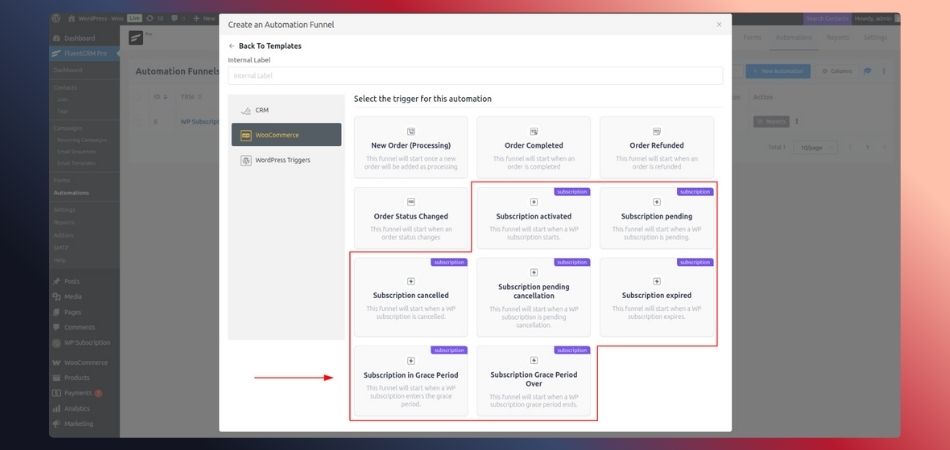
WPSubscription gives you seven subscription triggers in FluentCRM. Each one fires when something happens with a customer’s WooCommerce subscription. Understanding these triggers is crucial for proper subscription automation.
Subscription Activated – Fires when someone starts a new WooCommerce subscription or reactivates one. Perfect for welcome emails and onboarding your email automation sequences.
Subscription Pending – Payment is waiting. Good spot for a friendly reminder in your subscription management workflow.
Subscription Pending Cancellation – They’re about to cancel their WooCommerce subscription but haven’t yet. Last chance to save them with subscription automation.
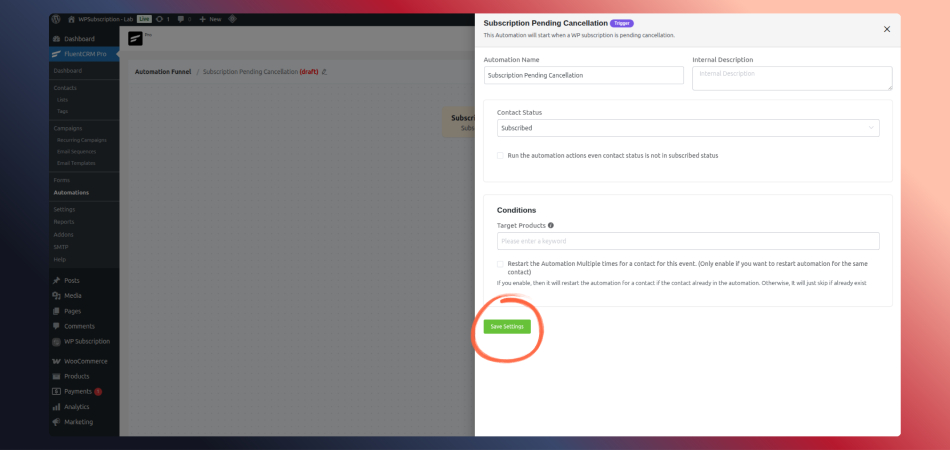
Subscription Cancelled – They left. Time for your automated win-back campaign.
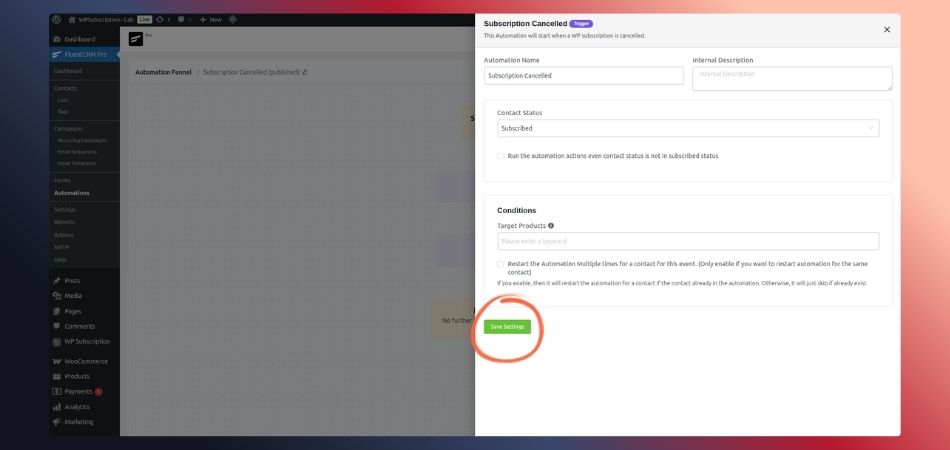
Subscription Expired – Renewal date passed, and nothing happened. Your subscription automation should send final reminders here.
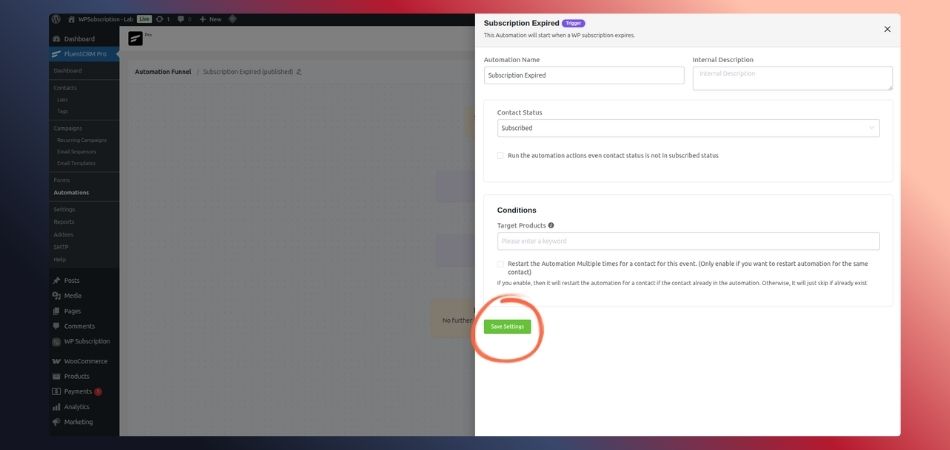
Subscription in Grace Period – You gave them extra time through WPSubscription’s grace period feature. Urgent payment reminders work well with this subscription trigger.
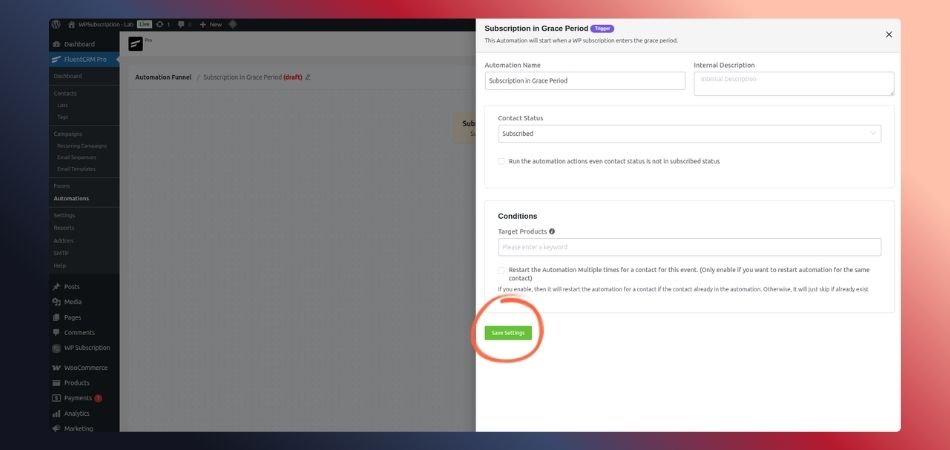
Subscription Grace Period Over – Everything expired. Last call for WooCommerce subscription recovery.
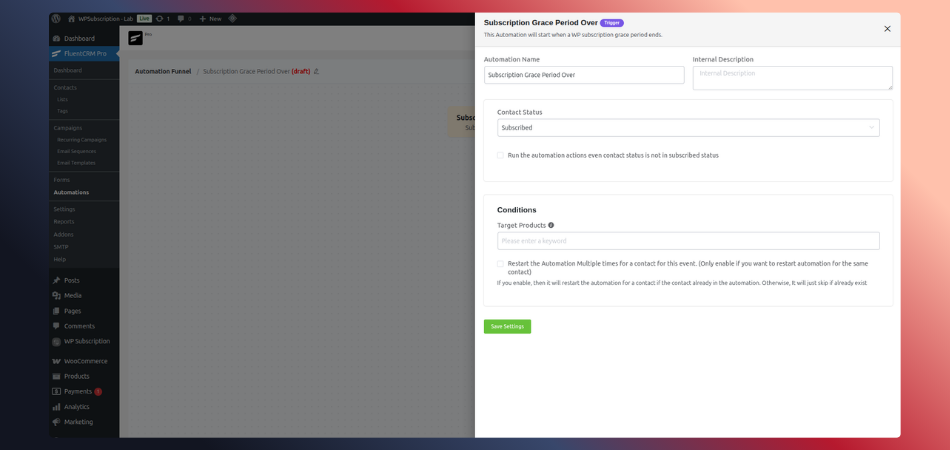
These subscription triggers are the foundation of any solid WooCommerce automation strategy. You’ll probably use “Subscription Activated” and “Subscription Cancelled” most, but the others handle specific subscription management scenarios.
Building Your First Subscription Automation
Let’s create a simple WooCommerce automation – a welcome sequence for new subscribers. Once you see how subscription automation works with WPSubscription, you’ll want to automate everything.
Step 1: Open WordPress, find FluentCRM, and click “Automations.”
Step 2: Hit “+ New Automation.” Click “Create from Scratch” to see how WooCommerce subscription automation actually works.
Step 3: Left sidebar shows triggers. Click “WooCommerce.” You’ll see all seven WPSubscription subscription triggers. Select “Subscription Activated.”
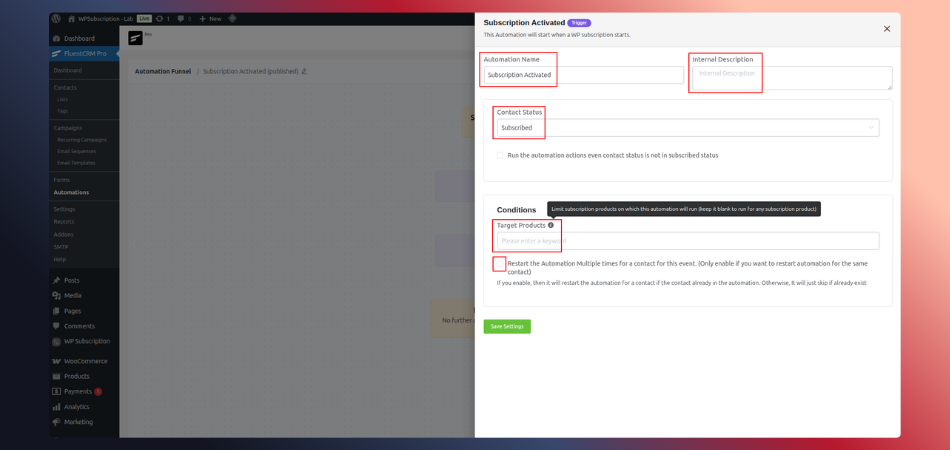
Step 4: Settings panel pops up. Here’s what matters for your WooCommerce automation:
Name it clearly. “New Subscriber Welcome” beats “Automation 1” when you’ve got twenty different subscription automation funnels running.
Description is your note. Write “WooCommerce subscription welcome sequence” or whatever helps you remember.
Contact Status stays “Subscribed” for email automation to work.
Target Products is crucial for subscription management. Pick specific WooCommerce subscription products or leave blank for all subscriptions.
Skip the Restart checkbox for welcome emails. You only need to welcome someone once per WooCommerce subscription.
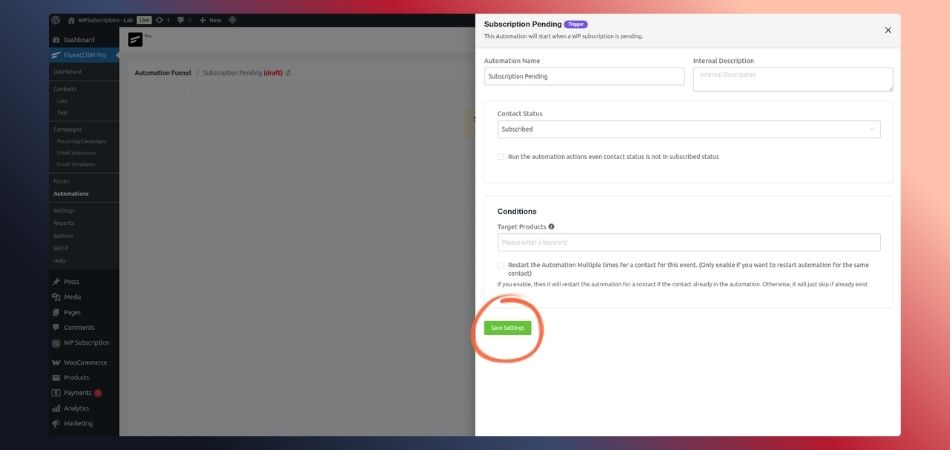
Step 5: Click “Save Settings.” Now you’re in the FluentCRM automation builder.
Step 6: Click “+” below your subscription trigger. Choose “Send Email.” Write a friendly welcome message about their WooCommerce subscription.
Step 7: Flip it to “Active.” Your subscription automation is live.
That’s your first automated WooCommerce subscription workflow. Took maybe ten minutes.
Real Subscription Automation Examples
Let me share some WooCommerce automation sequences I’ve tested that actually recover revenue.
Failed Payment Recovery with Subscription Automation
Build a subscription automation on the “Subscription Pending” trigger. Three emails:
First email (immediate): “Your WooCommerce subscription payment didn’t process. Update it here.”
Second email (2 days): “Still seeing payment issues with your subscription. Need help?”
Third email (5 days): “Final notice – here’s 20% off if you fix payment now.”
This subscription management sequence recovered $2,400 in failed payments for me last quarter. That’s money that would’ve just vanished without WooCommerce automation.
Cancellation Win-Back Through Email Automation
When someone cancels their WooCommerce subscription (using “Subscription Cancelled” trigger), wait seven days. Then send: “We miss having you. Here’s what’s new since you left.”
Wait another 14 days, and send a survey asking why they canceled their subscription.
This subscription automation brings back 15-20% of cancellations. Not huge numbers, but that’s pure profit from people who already left.
Subscription Management for Upgrades
When someone activates a basic WooCommerce subscription, tag them in your FluentCRM automation. Over 30 days, send four emails highlighting premium subscription features.
Not pushy. Just showing them what they’re missing in their current subscription tier.
Advanced Tips for WooCommerce Subscription Management

Once your basic subscription automation runs smoothly, level it up.
Segment Your WooCommerce Subscriptions: Different subscription tiers need different email automation. Tag subscribers based on which WooCommerce subscription they bought. Build separate subscription management workflows for each segment.
Use FluentCRM Automation Conditions: Branch your subscription automation based on behavior. If someone opens your upgrade email but doesn’t buy, send different follow-up than someone who ignored it. Smart subscription management uses these conditions.
Track Your Subscription Automation Performance: Check FluentCRM reports monthly. If your WooCommerce automation isn’t working, tweak it. Good subscription management means constantly improving your email automation.
Personalize Subscription Emails: FluentCRM’s smart codes pull subscriber names and WooCommerce subscription details automatically. Personalized subscription automation emails get way better results.
Don’t Over-Automate Everything: Some subscription management situations need personal attention. A five-year customer canceling their WooCommerce subscription? Maybe send a personal email instead of running them through standard subscription automation.
Common WooCommerce Automation Mistakes

Mistake 1: Blasting too many subscription emails too fast. Space out your email automation. Five messages in one day kills your WooCommerce subscription business.
Mistake 2: Not testing subscription automation before launching. Always run through your WooCommerce automation as a test subscriber using WPSubscription.
Mistake 3: Overly pushy language in every subscription email. Build relationships through email automation first, then sell.
Mistake 4: Ignoring subscription automation performance data. Check your FluentCRM stats monthly and improve your WooCommerce subscription management.
Mistake 5: Building complex subscription automation right away. Start with simple WooCommerce automation sequences. Add complexity once you see what works for your subscription business.
Start Automating Your WooCommerce Subscriptions Today
Setting up subscription automation with WPSubscription and FluentCRM isn’t just about saving time on subscription management – though you’ll save tons of that. It’s about building better WooCommerce automation that grows your subscription business while you focus on other things.
Start with one simple automation. Maybe the welcome sequence for new WooCommerce subscriptions. Once you see results, build more subscription automation workflows. The seven subscription triggers from WPSubscription give you everything needed for complete subscription management automation.
The goal isn’t removing humans from your WooCommerce subscription business. It’s automating repetitive subscription management tasks so you can focus on creating value and growing revenue.
Ready to automate your WooCommerce subscription workflows? Install WPSubscription, set up FluentCRM, and build your first subscription automation today. Your future self will thank you when your subscription business runs itself.