
Bundled pricing in WooCommerce is a smart way to group products and offer them at a discounted rate, boosting revenue and customer satisfaction.
Whether you’re selling curated kits or subscription bundles, customizing pricing can increase order values by 10-30% and improve conversion rates by up to 35%. WooCommerce supports two pricing models for bundles – fixed pricing (a set price for the entire bundle) and dynamic pricing (adjusts based on individual product prices).
Key takeaways:
- Fixed Pricing: Simple, predictable, ideal for curated bundles.
- Dynamic Pricing: Flexible, adjusts in real-time for custom bundles.
- Discount Strategies: Use tiered or bulk discounts to encourage larger purchases.
- Tools: Plugins like WPSubscription simplify managing subscriptions, billing, and discounts.
For U.S. businesses, clarity in pricing (e.g., “$49.99/month”) and highlighting savings (e.g., “Save $20”) are crucial.
Using tools like WPSubscription, you can offer flexible billing options, automate renewals, and track performance metrics like churn rate and customer lifetime value to refine your pricing strategy.
Bundled pricing not only simplifies the buying process but also builds customer loyalty through recurring value.
How to Create Product Bundles and Offer Discounts in WooCommerce
Common Pricing Models for Bundled Subscriptions
In WooCommerce, pricing models for bundled subscriptions play a big role in shaping sales and keeping customers happy.
Two popular approaches – fixed pricing and dynamic pricing – cater to different business goals and customer needs. These models expand on the benefits of bundling, offering tailored solutions for subscription-based products.
Fixed Pricing vs. Dynamic Pricing
With fixed pricing, you set one consistent price for the entire bundle, no matter the cost of individual items. Think of it like a meal deal: one set price covers everything, regardless of the specific items included.
On the other hand, dynamic pricing adjusts the total based on the individual prices of each item in the bundle, often including discounts on specific products.
For example, a US-based fitness retailer used fixed pricing for workout kits and dynamic pricing for customizable supplements.
They introduced a tiered discount – 15% off when customers bought three or more items – which led to a 25% increase in average order value and a 30% jump in subscriptions over six months.
Here’s a quick comparison of these models:
| Model | Pros | Cons |
|---|---|---|
| Fixed Pricing | Simple and clear; easy to market; predictable revenue | Less flexible; may not reflect true value if product prices vary widely |
| Dynamic Pricing | Flexible; supports item-specific discounts; ideal for custom bundles | Can be harder to understand, less predictable pricing, and more complex to manage |
By weighing these pros and cons, you can choose the pricing model that best fits your business and customers.
When to use fixed pricing: This approach works well for curated bundles where the value comes from the complete package rather than individual items.
For instance, a “Starter Fitness Bundle” priced at $99.00 provides an all-in-one solution without focusing on individual product costs.
When to use dynamic pricing: This model is ideal for customizable bundles. For example, a coffee subscription could let customers choose between beans for $30.00/month or ground coffee for $35.00/month, with real-time price updates as they build their bundle.
Tiered and Bulk Discount Strategies
To further enhance the appeal of bundled subscriptions, you can layer in tiered and bulk discounts. These strategies work hand-in-hand with fixed or dynamic pricing to deliver added value.
- Tiered Discounts: Reward customers for purchasing more by offering increasing savings. For example, give 10% off for three items, 15% off for five, and 20% off for eight or more. This approach resonates with US shoppers who appreciate clear, volume-based discounts.
- Bulk Discounts: Offer fixed savings when customers hit specific spending or quantity thresholds. For instance, take $10.00 off any bundle over $75.00 or give 15% off for a 12-month subscription instead of monthly billing.
These strategies can encourage customers to increase their order size. For example, if a shopper sees they can save an extra $25.00 by adding just one more item, they’re often motivated to do so. This approach aligns with the buying habits of US consumers.
WooCommerce plugins make it easy to automate these discounts at checkout, clearly displaying savings in dollar amounts. A message like “You saved $18.50!” alongside a total of $156.50 reinforces the value customers are getting.
The secret to success? Keep your discount structure simple. Use round numbers (e.g., “Buy 3, save 15%”) and highlight savings prominently to build trust and encourage customers to aim for higher-tier discounts.
Tools for Customizing Bundled Pricing
To get the most out of bundled pricing in WooCommerce, having the right tools is essential. While WooCommerce’s basic features provide a starting point, specialized plugins unlock more advanced capabilities, making it easier to create and manage subscription bundles.
These tools help you move beyond simple bundling to implement more refined pricing strategies tailored to your business needs.
Using WPSubscription for Subscription Bundles
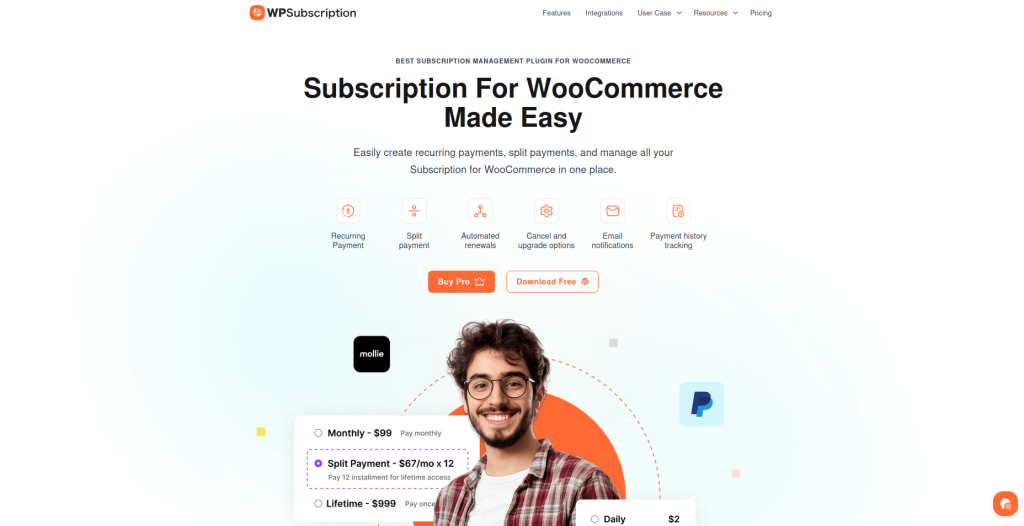
WPSubscription is a standout plugin for managing subscription-based bundles in WooCommerce. Unlike standard bundling tools that primarily group products together, WPSubscription offers features like recurring payments, split payments, automated renewals, and free trials – all critical for subscription bundles.
With flexible billing options, you can offer bundles on a monthly, quarterly, or annual basis, each with its own pricing structure. For instance, a software bundle might cost $29.99 per month, $79.99 per quarter, or $249.99 per year.
This flexibility allows customers to choose a payment schedule that works for them, while also encouraging longer-term commitments.
One of WPSubscription’s standout features is the ability to customize renewal pricing. This means you can adjust subscription prices at specific intervals, a feature that many standard plugins lack. It’s a powerful tool for balancing customer acquisition costs with long-term profitability.
The plugin supports multiple payment gateways, including Stripe, PayPal, and Paddle. Stripe is particularly useful for split payments, allowing you to allocate portions of a subscription’s price to different vendors or cost centers.
PayPal provides strong international payment support, while Paddle offers built-in tax handling and robust subscription management tools.
Another useful feature is customer self-service, which allows subscribers to adjust their billing intervals without needing merchant intervention. This is especially beneficial for B2B subscriptions, where clients often prefer customized billing cycles.
WPSubscription also includes tools for tracking payment history and managing subscription plans. These insights can help you fine-tune your pricing strategy.
For example, identifying high churn rates in specific subscription tiers can guide you toward implementing gradual price adjustments, improving customer retention over time.
Other Useful WooCommerce Plugins
Several other WooCommerce plugins can further enhance your bundling and pricing capabilities:
- WooCommerce Product Bundles: This extension lets you set fixed bundle prices or use dynamic pricing based on individual product costs. It also supports discounts, either as a percentage or a fixed amount, for specific items within a bundle. It’s a popular choice on the WooCommerce Marketplace.
- WooCommerce Mix and Match: Ideal for “build-your-own” bundles, this plugin allows customers to select items from available options and see real-time price updates. It also offers a customizable layout, making the bundling process more interactive.
- Bundle Discounts: This plugin supports advanced discount strategies, such as quantity-based tiered pricing. You can offer larger discounts for bigger bundles, with both global and product-specific settings.
- WooCommerce Subscriptions: This foundational plugin integrates seamlessly with other bundling tools. It allows each subscription in a bundle to retain its own billing schedule, though you can disable recurring billing for individual items if needed. Its flexibility makes it a great choice for both simple and complex subscription setups.
These plugins also provide options for displaying bundle prices effectively. For example, using a “From” price display (e.g., “From $100”) can give customers a clear starting point, while showing both regular and discounted prices side by side can highlight savings and create urgency.
For U.S.-based merchants, it’s important to ensure that your tools support local standards, such as dollar-sign currency formatting ($), MM/DD/YYYY date formats for billing cycles, and clear savings displays. These details help communicate value effectively to your customers.
Step-by-Step Guide to Customizing Bundled Pricing

You can customize your bundled subscription pricing in three main steps: setting up your product, configuring discounts, and tweaking the display to highlight savings. Start by creating your product to establish the framework for your bundle.
Creating a Bundled Subscription Product
First, install WPSubscription and activate it through your WooCommerce product dashboard. Once that’s done, head over to your products section and click “Add New Product.”
Select “Subscription” as the product type, and then start building your bundle. For example, if you’re creating a “Fitness Starter Bundle”, you might include a monthly protein subscription for $29.99, a water bottle for $14.99, and a workout guide for $9.99. WPSubscription gives you two pricing options: fixed pricing or dynamic pricing.
- Fixed pricing: You set one price for the entire bundle, no matter the cost of individual items. For instance, you could price the fitness bundle at $49.99/month, even though the combined total of the items is $54.97. This makes the savings crystal clear for your customers.
- Dynamic pricing: The total cost is calculated based on individual product prices, factoring in any discounts. For example, if you offer 10% off the protein ($26.99), 20% off the water bottle ($11.99), and 15% off the guide ($8.49), the total bundle price updates to $47.47 automatically.
WPSubscription also supports multiple billing options for the same bundle. For example, you could offer your fitness bundle at $49.99/month, $134.99/quarter (10% off), or $479.99/year (20% off). The plugin even allows for split payments, making it easier to sell higher-priced bundles.
Applying Discounts and Promotions
Set up tiered discounts to encourage bulk purchases. For example, if your bundle is priced at $49.99/month, you could offer 10% off for three bundles ($44.99 each), 15% off for five bundles ($42.49 each), and 20% off for ten bundles ($39.99 each).
WPSubscription also lets you create promotional pricing that adjusts over time. For instance, you could offer new customers the first three months at $29.99, with the price automatically increasing to $49.99 after the promotional period ends.
Free trials can also be a game-changer – offering a 14-day trial that transitions into a paid subscription can significantly boost conversions for higher-priced bundles.
For seasonal promotions, consider limited-time offers to create urgency. A “Black Friday Special” might provide 25% off the first six months of an annual subscription, reducing a $479.99 fitness bundle to $359.99 for new sign-ups.
WPSubscription also includes self-service options, allowing customers to upgrade or downgrade their bundles without needing your assistance. Once your discounts are in place, focus on refining how prices and savings are displayed.
Customizing Labels and Pricing Display
Tailor your bundle labels with US-friendly terms like “Starter Kit”, “Complete Package”, or “Bundle & Save” instead of generic names like “Product Bundle.” Make sure to showcase both the regular and discounted prices clearly.
For example, display “Was $54.97, Now $49.99” with the original price crossed out, and add a clear savings callout like “You Save $4.98!” near the add-to-cart button.
For subscription bundles, clearly show billing details and trial periods. Use phrases like “$49.99/month after 14-day free trial” or “Billed monthly, cancel anytime.”
WPSubscription offers shortcodes and blocks that work seamlessly with popular page builders like Elementor and Gutenberg, so you can easily display subscription options.
If your bundles are customizable, consider using “From” pricing to highlight starting costs. For instance, display “From $39.99/month” to indicate that the price may vary based on customer selections.
WPSubscription also includes admin reporting tools to help you track which pricing displays perform best, so you can fine-tune your labels and formats over time.
“For developers, we’ve added hooks and filters for advanced customizations.” – wpsubscription.co
Managing and Optimizing Bundled Pricing
Once you’ve launched your bundled subscription plans, the work doesn’t stop there. You need to monitor performance closely and make adjustments based on how your customers respond.
With tools like the WordPress dashboard, you can access detailed reports to guide your pricing decisions.
Tracking Performance Metrics
Some key metrics to keep an eye on include MRR/ARR (Monthly/Annual Recurring Revenue), churn rate, AOV (Average Order Value), conversion rate, and CLV (Customer Lifetime Value). These numbers reveal whether your bundles are fueling growth or if tweaks are needed.
WPSubscription’s payment history feature provides a centralized view of your customers’ subscription and transaction details. You can review active and expired plans, along with detailed payment logs that show specific payment dates.
This data can help you spot trends, like whether customers subscribing to a particular bundle eventually upgrade to higher-tier plans or cancel after a few months.
“Great experience with the Subscriptions for WooCommerce plugin. My customers can now subscribe with one click, and I can track everything from my dashboard.” – Lara Laurite
It’s also worth comparing how your bundles perform against individual product sales. If bundles have significantly lower conversion rates, it could mean the pricing or product mix isn’t hitting the mark with your audience.
Customer behavior data can be incredibly revealing. For instance, if analytics show that customers often remove a specific item from a bundle during checkout, it might be time to swap that item for something more appealing – or adjust the bundle price to better reflect its value.
Be sure to separate involuntary churn (like failed payments due to expired cards) from voluntary cancellations. Involuntary churn is often recoverable with automated renewal reminders and grace periods, so tracking these separately can help you take effective action to retain subscribers.
Using these insights, you can refine your pricing strategies and improve your renewal processes.
Best Practices for Price Updates and Renewals
Once you’ve gathered performance data, you can use it to fine-tune your pricing and renewal strategies. Price changes, in particular, require careful planning.
Keep in mind that WooCommerce doesn’t automatically update prices for existing subscribers when product pricing changes. You’ll need to use bulk update tools or handle these adjustments manually to ensure consistency.
Communication is critical when updating prices. For US-based customers, it’s best to notify them at least 30 days in advance, clearly stating the new USD pricing (e.g., $54.99) and the effective date in MM/DD/YYYY format. For example:
“Effective 03/15/2026, your Monthly Fitness Bundle will increase from $49.99 to $54.99 due to enhanced product selection and improved shipping.”
WPSubscription’s custom renewal pricing feature allows you to set different renewal rates without impacting the pricing for new customers. This flexibility is useful for testing modest price increases – say, around 10% – while keeping introductory rates steady to attract new subscribers.
You might also consider tiered loyalty pricing to reward long-term subscribers. For example, customers who’ve stayed subscribed for 12 months or more could receive locked-in rates or access to exclusive bundle options.
This not only encourages loyalty but also creates a structured way to differentiate pricing for new and existing customers.
Grace periods for failed payments are another smart move. Allowing a short grace period with automated retry attempts can help recover subscriptions that might otherwise be lost.
WPSubscription’s self-service portal also makes it easy for customers to update their payment methods, reducing support requests and improving recovery rates.
When planning price adjustments, try to align them with your subscribers’ natural renewal cycles instead of picking arbitrary dates. This minimizes disruptions and ensures a smoother experience during peak renewal times.
Lastly, regular A/B testing of renewal prices can help you gauge customer sensitivity to price changes. Testing small increases with a subset of subscribers allows you to gather data and refine your approach before rolling out changes more broadly.
These strategies ensure your bundled pricing stays competitive and aligned with your overall subscription goals.
Conclusion
Crafting customized bundled pricing in WooCommerce can be a game-changer for boosting revenue and fostering stronger customer relationships. When paired with the right tools, this approach becomes even more effective.
The strategies and tools outlined in this guide equip US businesses with the resources to turn subscription offerings into powerful revenue drivers.
Take WPSubscription, for example. This plugin simplifies the process of managing bundled subscription pricing with features like recurring payments, customizable renewal options, and seamless integration with major US payment gateways such as Stripe, PayPal, and Paddle.
Its ability to customize renewal pricing allows businesses to experiment with pricing strategies while maintaining attractive introductory rates – an essential edge in today’s competitive landscape.
Consider this: subscription-based businesses have grown their revenue 5.5 times faster than the S&P 500 average over the last decade. WooCommerce stores that adopt bundled and subscription pricing often see a 20-30% increase in customer lifetime value (CLV). These statistics reflect tangible opportunities for growth, not just abstract figures.
Success in the US market also hinges on meeting consumer expectations. This means using familiar elements like currency formats ($99.99) and date formats (MM/DD/YYYY), as well as transparent pricing that highlights real savings. When customers see phrases like “Save $20” or have a clear understanding of renewal dates, it builds trust – an invaluable asset for any subscription business.
To make bundled pricing work, start with the basics: select the right tools, create straightforward pricing structures, and continuously refine your approach based on performance data.
Metrics like monthly recurring revenue (MRR), churn rates, and customer behavior patterns provide critical insights for smarter pricing decisions that benefit both your business and your subscribers.
It’s important to remember that bundled pricing isn’t a “set it and forget it” tactic. Ongoing monitoring, regular communication with customers, and the ability to adapt as your business evolves are all crucial.
Tools like WPSubscription handle the technical side, freeing you to focus on delivering value and driving growth.
The takeaway is clear: businesses that embrace customized bundled pricing today are positioning themselves for long-term success. Use these strategies to refine your subscription offerings, strengthen customer relationships, and set the stage for sustainable growth.
FAQs
What’s the difference between fixed pricing and dynamic pricing for WooCommerce bundles, and how do I choose the right one?
Fixed pricing involves setting a single, unchanging price for an entire bundle, no matter what the individual products are worth. It’s a straightforward approach that’s great for offering customers a clear and predictable cost.
On the flip side, dynamic pricing calculates the bundle’s total based on the individual product prices. This method often includes discounts or adjustments depending on specific factors.
Which one should you choose? It depends on what you’re aiming to achieve. If your focus is on keeping things simple and transparent for customers, fixed pricing might work best.
But if you’re looking for the flexibility to adjust prices based on product choices or to provide tailored discounts, dynamic pricing could be the way to go.
How does WPSubscription help manage bundled subscription pricing in WooCommerce?
WPSubscription simplifies bundled subscription pricing in WooCommerce by offering powerful features like recurring payments, split payments, and automated renewals.
Customers can also enjoy free trials, choose from flexible billing intervals, and manage their subscriptions with self-service options.
The plugin supports multiple payment gateways and provides tools to track payment history, adjust renewal pricing, and efficiently manage subscription plans.
These features not only streamline subscription management for your store but also create a smoother experience for your customers.
How can I use tiered and bulk discounts to enhance the value of bundled subscriptions in WooCommerce?
To apply tiered and bulk discount strategies for bundled subscriptions in WooCommerce, you can modify pricing based on the total value or quantity of items bought together.
For instance, you could provide a 10% discount on bundles exceeding $100, or offer progressively larger discounts as customers purchase more items within a bundle.
A plugin like WPSubscription can help you tailor subscription pricing to implement these strategies effectively. It offers features such as flexible billing options and customizable renewal pricing, making it easier to design compelling deals that encourage higher spending while keeping your margins intact.
Be sure to test your pricing tiers thoroughly to ensure they meet both your business objectives and your customers’ expectations.