
Want to improve your subscription emails? Here’s how you can customize WooCommerce renewal emails to enhance communication with your customers and reduce support inquiries.
Why it matters: Generic renewal emails often confuse customers about billing dates or amounts, leading to churn and support tickets. Personalized emails can increase retention by up to 33%.
How to do it: WPSubscription offers easy-to-use tools for creating branded, clear, and localized renewal emails directly in WooCommerce – no coding required.
Key features:
- Drag-and-drop editor with pre-designed templates for all subscription stages
- U.S.-specific formatting for currency ($49.99), dates (MM/DD/YYYY), and time (12-hour format with AM/PM)
- Dynamic content like customer names, renewal dates, and subscription details using shortcodes
- Automation for reminders, payment confirmations, and personalized offers
Impact: Stores using customized emails have seen renewal rates grow by 22% and support tickets drop by 30%.
Get started by editing templates in WooCommerce > Settings > Emails. Use WPSubscription to streamline your email strategy and improve customer satisfaction.
Customize Email Templates of WooCommerce Subscriptions and Stripe Payment
WPSubscription Email Customization Tools Overview
WPSubscription makes customizing WooCommerce renewal emails a breeze with user-friendly tools that don’t require any coding.
The plugin’s philosophy is simple: “No coding – just a few clicks to launch professional renewal emails.”
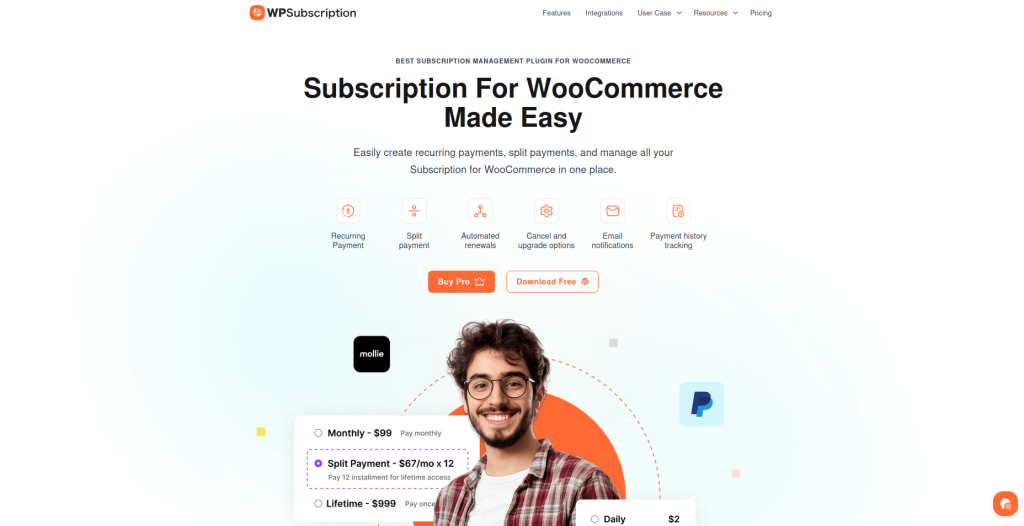
This approach ensures that store owners can create polished, professional renewal emails without needing to hire a developer or dive into complex coding.
Seamlessly integrated with WooCommerce’s email system, WPSubscription introduces advanced customization options specifically designed for subscriptions. These tools cater to flexible billing, pricing updates, and status changes.
Emily Richmond, a satisfied user, highlighted how quickly she set up her product plans, emphasizing the plugin’s ease of use.
This same simplicity extends to email customization, allowing store owners to design renewal emails with minimal effort.
Built-in Email Editing Tools
WPSubscription brings email editing directly into the WooCommerce admin panel, offering a drag-and-drop interface similar to popular WordPress page builders. This makes the tool intuitive and familiar for most users.
The plugin includes a variety of pre-designed templates tailored to specific renewal scenarios, such as:
- Processing Renewal Order
- Completed Renewal Order
- On-Hold Renewal Order
- Subscription Switched
- Customer Renewal Invoice templates
These templates ensure that every stage of the subscription lifecycle is covered, helping businesses send the right message at the right time.
Customization options are extensive yet simple to use. Users can tweak key elements like subject lines, sender details, email headings, and body content.
Branding is also a breeze – store owners can add logos, social media links, and other elements to match their business identity seamlessly.
The full-screen editor provides real-time previews, making it easy to see changes as they’re made. These tools not only simplify email customization but also ensure that emails are perfectly tailored for U.S. audiences.
U.S. Format Support and Localization
WPSubscription goes a step further by automatically applying U.S. formatting standards to all renewal emails. For instance, currency amounts are displayed with the dollar sign ($) in the familiar format, such as “$49.99”, ensuring clarity for American customers.
Dates are formatted in the MM/DD/YYYY style, so renewal dates like “12/15/2025” are instantly recognizable.
Time is displayed in the 12-hour format with AM/PM indicators, such as “2:00 PM”, avoiding potential confusion caused by 24-hour clocks.
The plugin also ensures that email templates use American spelling conventions, creating a polished and professional look that resonates with U.S. customers.
By automatically applying these standards, WPSubscription helps businesses communicate clearly and effectively.
For example, an email stating,"Your subscription will renew on 11/16/2025 at 3:30 PM for $29.99", leaves no room for misunderstanding.This clarity builds trust and reduces the need for customer support, making the renewal process smoother for everyone involved.
How to Access and Edit Renewal Email Templates

Editing your renewal email templates in WordPress is straightforward. You can manage these settings directly from your WordPress admin dashboard.
Finding Renewal Email Settings
Start by logging into your WordPress admin dashboard. From there, navigate to WooCommerce > Settings > Emails. This is where you’ll find all your store’s email templates, including the renewal-specific ones provided by WPSubscription.
In this section, you’ll see a list of email templates. For subscription renewals, the key templates include:
- New Renewal Order: Sent to the shop admin after a subscription renewal payment is processed
- Processing Renewal Order: Sent to customers once their renewal payment is confirmed, but the order is still pending fulfillment
- Completed Renewal Order: Sent to customers when their renewal order is marked complete
- On-Hold Renewal Order: Sent to customers if their renewal order is placed on hold
- Customer Renewal Invoice: Sent when a manual renewal payment is required
- Subscription Switched Complete: Sent when customers successfully upgrade or downgrade their subscription
Each of these templates serves a specific purpose in the subscription renewal process. To customize a template, simply click on it, and you’ll be able to modify its content, such as the subject line and sender information.
Editing Subject Lines and Sender Information
Once you open a renewal email template, you’ll notice fields for editing the subject line and sender details. The subject line is what customers see in their inbox, so it’s a great opportunity to make your message stand out.
For example, instead of a generic "Your Subscription Renewal", you might use something more engaging like "Your [Store Name] Subscription Renewal is Ready."
The sender information can also be updated to reflect your business name and email address, replacing the default system settings. This ensures your emails look professional and are immediately recognizable to your customers.
Additionally, you can adjust the email heading that appears within the email body to align with your brand’s tone and style.
For U.S.-based customers, keep subject lines straightforward and easy to understand. A clear subject like “Your Monthly Plan Renews Tomorrow – $29.99” provides all the key details while avoiding overly technical language.
Once you’ve updated these fields, you can take your customization further by adding personalized, dynamic content.
Adding Dynamic Content to Templates
WPSubscription offers tools to make your renewal emails more personalized by using dynamic content. With shortcode and block support available across all plans – from the Basic plan at $55/year to the Pro plan at $199/year – you can add customer-specific information that updates automatically in each email.
Shortcodes allow you to include details like customer names, renewal dates, subscription amounts, and billing cycles.
For example, you could set up an email that says, “Your subscription for $49.99 will renew on 12/15/2025 at 3:00 PM”, with the actual values being pulled from the customer’s account data.
WPSubscription integrates with popular page builders like Elementor and Gutenberg, making it easy to design dynamic content blocks.
This means you can create a single email template that adapts to each customer’s subscription details, renewal schedule, and payment history, ensuring a personalized experience for every recipient.
Customizing Email Content and Appearance
After crafting personalized subject lines and dynamic blocks, the next step is refining the body and design of your renewal emails.
This ensures your messages not only reflect your brand but also provide clear and engaging communication.
By tailoring both the visual design and written content, you can create a seamless and professional customer experience.
Modifying Email Body Content
The body of your email is where your brand’s personality shines. Focus on key elements like the greeting, introductory message, renewal details, call-to-action, and closing statement. These components should feel personal and aligned with your brand’s voice.
For example, instead of a generic system-generated message, try something like this:
“Hi [Customer Name], we’re thrilled to let you know that your subscription is set to renew on 12/01/2025 for $29.99. Thank you for being a valued part of the [Brand] family!”
Maintain a tone that matches your brand’s identity. If your brand leans casual and friendly, keep the language light and approachable.
On the other hand, if your industry demands professionalism, ensure your tone reflects that while remaining clear and customer-friendly.
Using tools like WPSubscription, you can also enhance the visual appeal of your emails. These tools let you adjust colors, fonts, and layouts without needing coding skills.
For instance, you could set the email background to your brand’s signature color, use your preferred font for headings, and include a footer with your logo and social media links.
Adding banners or images can further reinforce your brand identity and grab attention.
Adding Custom Instructions and Details
Beyond visual customization, including functional details like payment information and support contacts is essential for clarity and professionalism. Clearly outline payment methods to minimize confusion and customer inquiries.
For example:
“We accept Visa, MasterCard, PayPal, and Stripe. To update your payment method, please visit your account dashboard or contact us at [email protected].”
Make sure account management links are easy to find, allowing customers to update payment details, adjust subscription plans, or even pause their service.
This self-service option not only enhances customer satisfaction but also reduces the volume of support tickets.
Include customer service information in the footer for easy access:
“Need assistance? Reach out to our support team at [email protected] or call 1-800-123-4567.”
For U.S.-based customers, it’s helpful to specify support hours, such as: “Monday-Friday, 9:00 AM – 6:00 PM EST.” This ensures customers know when they can expect a response.
Testing Email Changes Before Sending
Before sending out your customized emails, thorough testing is crucial to ensure everything looks and functions as intended.
Most email tools offer preview options to show how your emails will appear across different devices and email platforms.
Send test emails to popular clients like Gmail, Outlook, and Yahoo to check compatibility. Review custom colors, fonts, and images on both desktop and mobile devices to ensure a consistent experience.
Test dynamic content with sample customer data to confirm it populates correctly and follows U.S. formats for dates, currency, and more.
Make sure all links work properly, whether they lead to payment updates, account management pages, or customer support.
Emails with clear calls-to-action and strong branding often achieve a 15-25% higher click-through rate compared to generic templates. Test your call-to-action buttons to ensure they stand out and lead to the correct destinations.
Lastly, schedule regular reviews of your renewal email templates. This ensures they continue to represent your brand effectively as your business grows and evolves.
Advanced Email Personalization and Automation
Once you’ve mastered basic email customizations, taking it a step further with advanced personalization and automation can make a big difference in subscription renewals.
By tailoring messages to individual customers and automating their delivery based on subscription behavior, you can ensure your emails hit the right note at just the right time.
Setting Up Automated Personalized Messages
WPSubscription makes it easy to automate email sequences that align with specific customer actions and subscription events.
Its automated renewals feature works seamlessly with its email notification system, sending timely and relevant messages without requiring manual effort.
You can set up triggers for events like upcoming renewals, payment failures, or plan upgrades. For instance, you might configure an automated sequence that sends a renewal reminder a week before a subscription expires, followed by a thank-you email after payment is successfully processed.
The system pulls data from each customer’s subscription and transaction history to tailor these messages.
In January 2025, a WooCommerce store in the U.S. used WPSubscription to implement automated renewal reminders with personalized offers.
Over three months, their renewal rate climbed from 68% to 81%, and customer inquiries about renewals dropped by 22%.
They achieved this by using shortcodes for dynamic content and segmenting emails by subscription type and renewal timing.
Segmentation is a game-changer for automation. You can create different email sequences for monthly versus annual subscribers or tailor messages to customers with failed payments versus those with a history of successful renewals.
WPSubscription’s detailed tracking of payment logs and subscription activity gives you the data you need to create these precise segments.
Using Shortcodes for Dynamic Content
To take your automated emails to the next level, integrate dynamic content using shortcodes. Beyond basic shortcodes, advanced features like conditional content and segmentation-based personalization can make your messages even more impactful.
Shortcodes allow you to display different content based on criteria like subscription status, payment method, or customer segment.
You can also insert dynamic data such as payment history, account management links, or personalized offers.
For example, loyal, long-term customers might receive a discount code as a thank-you, while new subscribers could get tips on features they haven’t explored yet.
This approach lets you use a single email template for multiple purposes while still keeping the content relevant to each recipient. Personalized emails can boost transaction rates by up to six times compared to generic ones.
The trick is to strike a balance: make the email feel personal without overwhelming the recipient with too much information.
Choosing Between Simple Editing and Custom Code
These advanced techniques build on earlier customization steps and are designed to reduce churn while increasing customer engagement.
WPSubscription is built to be user-friendly, so you can manage subscriptions and emails without needing to write code. However, knowing when to stick with the built-in tools versus diving into custom HTML/CSS can help you get the best results.
Editing Method Comparison:
Built-in Editor
- Ease of Use: High
- Customization Level: Moderate
- Recommended For: Quick edits, non-technical users
Custom HTML/CSS
- Ease of Use: Moderate
- Customization Level: High
- Recommended For: Advanced branding, complex logic
Shortcodes/Blocks
- Ease of Use: High
- Customization Level: High (for dynamic data)
- Recommended For: Personalization, automation
The built-in editor is a great choice for most businesses. It supports essential personalization through shortcodes, aligns with U.S. formatting standards, and works seamlessly with page builders like Elementor and Gutenberg.
This means you can create professional, personalized renewal emails without needing technical skills.
Custom code is worth considering only if you need advanced conditional logic, intricate design elements, or integrations with external systems.
For example, if you want to include product recommendations based on purchase history or add interactive elements to your emails, custom HTML/CSS might be necessary.
Automated renewal reminders and personalized offers can reduce churn rates by 15-30% in subscription-based businesses.
Most of these gains come from improved timing and personalization rather than elaborate design, which means built-in tools are often enough to deliver strong results.
For developers, WPSubscription offers hooks and filters for deeper customizations, while still keeping things simple for non-technical users.
This flexibility allows you to start with basic automation and gradually incorporate more complexity as your needs evolve.
Personalized transactional emails like renewal notifications often achieve open rates of 40-60%, far surpassing generic marketing emails.
This success highlights the importance of relevance and timing, proving that a good strategy often matters more than technical complexity.
Summary: WooCommerce Renewal Email Customization
Customizing WooCommerce renewal emails with WPSubscription makes managing subscription communications smoother and more effective. From simple template tweaks to advanced automation, the process can lead to impressive results.
For example, stores that personalize their renewal emails have reported up to a 29% boost in customer retention and a 15% drop in billing-related support tickets.
WPSubscription provides an intuitive platform that simplifies technical tasks while giving you complete control over your email communications.
Whether you’re adding a logo or setting up automated sequences, the tools make it easy to create professional-looking emails – no coding required.
One of the standout features is the ability to preview and test emails. With WPSubscription, you can ensure your messages display properly across major U.S. email clients like Gmail and Outlook.
This step is crucial for avoiding formatting issues or misunderstandings that could damage customer trust.
An effective strategy combines clear communication with smart automation. Include concise renewal details, dynamic content using shortcodes, and direct links to support resources. These elements help create a seamless experience for your customers.
According to WPSubscription Case Studies (January 2024), a U.S.-based online store saw a 22% increase in renewal rates and a 30% drop in customer support tickets after implementing branded, localized renewal emails.
They customized subject lines, added dynamic order details, and rigorously tested their changes before sending.
These results highlight the benefits of thoughtful email customization. By using branded templates, clear renewal information, and adhering to U.S. formatting standards, you can reduce support workloads and enhance customer satisfaction.
As you grow more comfortable with the platform, advanced features like segmentation and conditional content can drive even better outcomes.
WPSubscription’s plans, starting at $55/year, provide a cost-effective way to improve your email strategy and strengthen customer relationships.
FAQs
How can customizing renewal emails help reduce support requests and improve customer retention?
Personalized renewal emails are a powerful way to improve the customer experience. They provide clear, timely, and relevant details about subscription renewals, such as renewal dates, payment amounts (e.g., $29.99), and any upcoming changes.
This level of detail helps eliminate confusion and reduces the need for customers to reach out to support for clarification.
Adding a personal touch – like addressing customers by name, using a friendly tone, and including helpful links for managing their subscriptions – can go a long way in building trust and loyalty.
These thoughtful touches not only cut down on support inquiries but also boost retention rates by making customers feel informed and appreciated.
How can dynamic content and shortcodes improve WooCommerce renewal emails?
Using dynamic content and shortcodes in WooCommerce renewal emails is a smart way to create messages that feel more personal and relevant to each customer.
Dynamic content automatically pulls in details like the customer’s name, subscription specifics, or renewal dates, giving the email a personalized touch that resonates with the recipient.
Shortcodes simplify the process of adding this dynamic content to your email templates. Without needing technical expertise, you can easily include details like the next payment amount (e.g., $49.99) or the renewal date (e.g., 12/15/2023).
This approach not only makes your emails clearer and more informative but also helps reduce misunderstandings and enhances communication about subscription renewals.
How can I customize WooCommerce renewal emails for U.S. customers using WPSubscription?
WPSubscription simplifies the process of customizing WooCommerce renewal emails specifically for U.S. customers. With its built-in tools and templates, you can tweak the email content, design, and formatting to match your brand while effectively engaging your audience.