Knowing how to manage subscriptions really boils down to having the right tools. You need a system that can automate billing, empower your customers, and cut down on churn. For anyone running a WooCommerce store, that means using a plugin like WPSubscription to build predictable revenue by handling recurring payments and plan changes without the manual headaches.
Why Good Subscription Management Is No Longer Optional
Before we get into the "how-to," let's talk about why this is so important. Solid subscription management isn't just a nice-to-have anymore; it's the bedrock of modern e-commerce growth. The smartest businesses are shifting from chasing one-time sales to building recurring revenue models. This isn't just about selling more—it's about creating a stable, predictable income you can rely on, month after month.
This move to subscriptions is a huge opportunity for stores that get it right. Just look at the market for subscription billing management tools. Valued at USD 8.47 billion in 2025, it’s projected to skyrocket to USD 37.36 billion by 2035, growing at an impressive 16% each year. This explosive growth is happening because businesses need powerful tools to manage flexible billing, free trials, and automated renewals without a single hiccup.
The Role of a Dedicated Subscription Tool
Just adding a "subscribe" button to your site isn't enough. Real subscription management demands a system that can handle the entire subscriber lifecycle on autopilot. This is where a dedicated plugin like WPSubscription becomes absolutely essential.
The WPSubscription dashboard gives you a bird's-eye view of your entire recurring revenue operation.
This single screen is your command center. It gives you a quick look at active plans, payment histories, and customer activity, which is exactly what you need to make smart business decisions.
Instead of manually chasing payments or dealing with customer access problems, a tool like this automates the core functions of a subscription business:
- Automated Recurring Billing: Ensures you get paid on time, every time, without you lifting a finger.
- Customer Self-Service: Lets subscribers upgrade, downgrade, or cancel their own plans, which drastically cuts down your support tickets.
- Churn Reduction Features: Comes with built-in tools like automated payment retries (dunning) and reminder emails to stop revenue from slipping through the cracks due to failed payments.
By automating these processes, you're not just saving time; you're building a scalable foundation for growth. Your focus can shift from administrative tasks to improving your products and marketing efforts. You can learn more about the fundamentals in our guide to subscription billing. This frees you up to innovate, knowing your revenue engine is running smoothly in the background.
Launching Your First Subscription Product with WPSubscription
Alright, enough with the theory. Let's get hands-on and create your first subscription product. This is where you’ll see just how easy it is to manage subscriptions by building one from the ground up, moving beyond basic settings to the strategic choices that set you up for success.
Let’s say you’re an online course creator who wants to launch a monthly membership for exclusive video content. We'll walk through creating a "Simple subscription" product in WooCommerce using WPSubscription.
Configuring Your Subscription Product
First things first, head over to Products > Add New in your WordPress dashboard. Instead of the usual "Simple product," you're going to select "Simple subscription" from the product data dropdown menu. This is what unlocks all the powerful subscription settings from WPSubscription.
This is where you bring your subscription offer to life. For our course creator example, the setup would be straightforward:
- Subscription Price: Set your recurring price. Let's go with
$29 every month. - Expire after: You can leave this as "Never expire" for an ongoing membership or choose a fixed term, like 12 months for a year-long program.
- Sign-up fee: This is a fantastic way to add a one-time charge. For instance, you could add a $50 fee to cover initial onboarding materials.
- Free trial: This is a conversion powerhouse. Offering a 7-day free trial lets potential students dive into your content risk-free before their first payment kicks in.
These settings are the essential building blocks for your recurring revenue. They give you total control over how and when your customers are billed.
Pro Tip: Always think from the customer's point of view when you're setting up a subscription. A free trial or a low sign-up fee can dramatically lower the barrier to entry and really boost your initial subscriber count.
Simple vs. Variable Subscriptions
WPSubscription gives you two main product types to work with. The "Simple subscription" we just created is perfect for a single-tier offer. But what happens when you want to offer different membership levels, like a "Basic" and a "Premium" plan?
That’s where "Variable subscription" shines. It lets you create multiple variations, each with its own price, billing schedule, and features. For example:
- Basic Plan: $19/month for access to your core video library.
- Premium Plan: $49/month for all the videos, plus a monthly live Q&A session and entry into a private community.
This kind of flexibility is crucial. It helps you cater to different types of customers and opens up more ways to generate revenue. As you grow, knowing how to effectively create and scale a subscription service will be key to your long-term success.
This visual perfectly illustrates how picking the right tool and strategy directly fuels your recurring revenue growth.
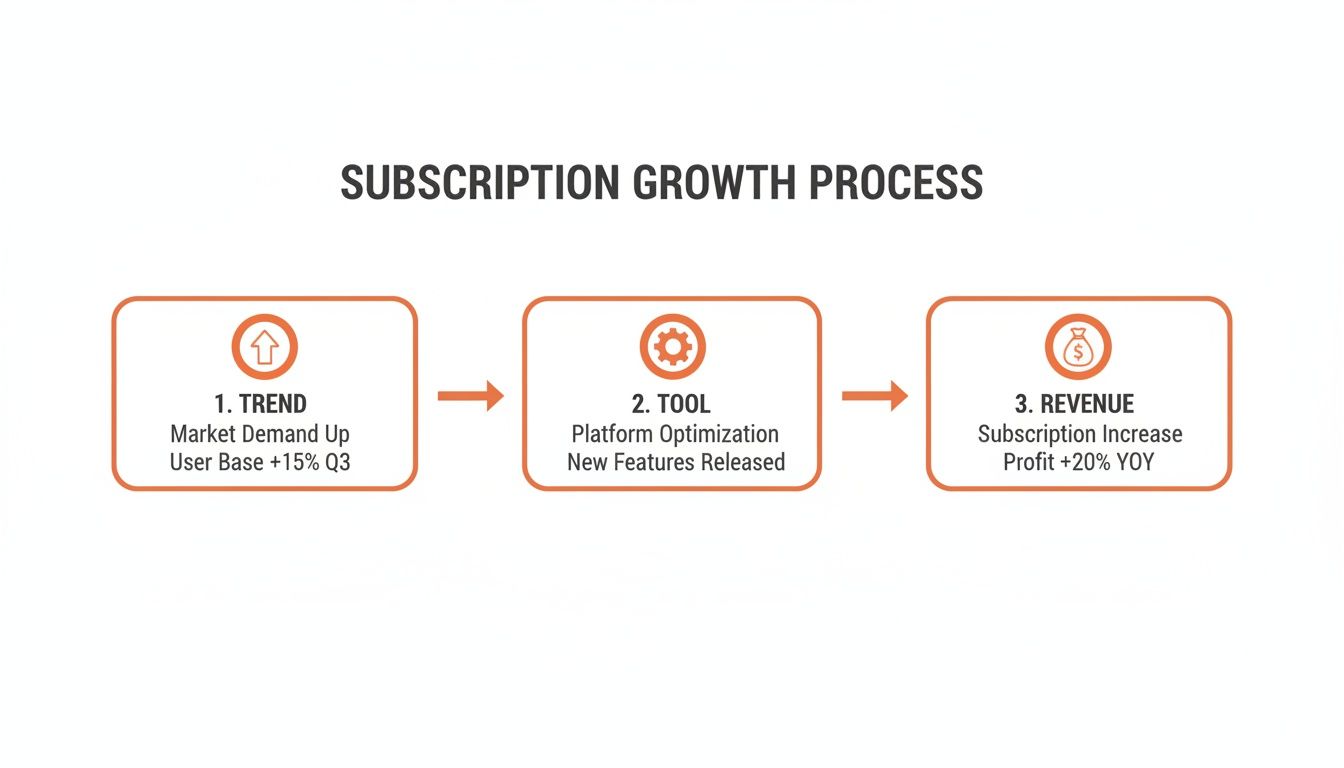
The path is clear: you spot a market trend, implement the right tool for the job, and watch your revenue climb. By getting these settings right from the start, you build a smooth, automated system. That's the secret to managing subscriptions effectively and creating a predictable income stream for your WooCommerce store.
Automating Payments for Global and High-Ticket Sales
A subscription offer is only as strong as the payment system behind it. Once you’ve configured your products, the next step is to automate your cash flow. This is all about connecting reliable payment gateways so recurring billing happens on schedule, without you lifting a finger.
With WPSubscription, integrating industry leaders like Stripe and PayPal is straightforward. Think of this connection as the financial heart of your operation. It slashes billing errors and frees you from chasing invoices so you can focus on what matters: growing your business.
Making High-Ticket Subscriptions More Accessible
One of the most powerful strategies I’ve seen for boosting sales on expensive subscriptions is using split payments. This feature, built right into WPSubscription, breaks down a large upfront cost into smaller, more manageable installments.
Imagine you offer a premium, year-long coaching program for $1,200. That’s a significant hit for many customers. But with split payments, you can completely reframe the offer:
- Standard Offer: $1,200 billed once per year.
- Split Payment Offer: Four installments of $300, billed quarterly.
This simple change makes your high-ticket service feel far more affordable, instantly widening your pool of potential subscribers. It removes the sticker shock and aligns the cost with the value delivered over time—a proven way to close more sales.
By breaking down a large annual fee into quarterly or monthly payments, you're not just offering a payment plan; you're changing the customer's perception of the price itself. This simple adjustment can be the difference between a lost sale and a loyal, long-term subscriber.
Expanding Your Reach with Global Payments
Selling internationally isn't a luxury anymore; it’s a core growth strategy. The days of local-only subscriptions are fading fast. In fact, the global subscription billing market is projected to hit USD 10.92 billion in 2026, a huge jump from USD 9.16 billion in 2025, with a 19.2% growth rate fueled by this international push. To tap into this, WooCommerce merchants need tools that handle global payments without a fuss.
WPSubscription makes this possible by integrating with trusted gateways like Stripe, PayPal, Paddle, Razorpay, and Mollie.
This table compares the primary payment gateways supported by WPSubscription to help you choose the best option for your store's needs, based on global reach, transaction fees, and key features.
Comparing Top Payment Gateways for WPSubscription
| Gateway | Best For | Supports Split Payments | Global Currency Support |
|---|---|---|---|
| Stripe | Overall flexibility and global reach | Yes | Extensive (135+ currencies) |
| PayPal | Broad customer trust and recognition | Yes | Strong (25+ currencies) |
| Paddle | SaaS and digital product sellers | Yes | Extensive (handles global sales tax) |
| Razorpay | Businesses targeting the Indian market | Yes | Strong in INR and other major currencies |
| Mollie | European businesses needing local payment methods | Yes | Excellent (all major European currencies) |
Choosing the right gateway depends on where your customers are and what you're selling, but WPSubscription ensures you have the flexibility to scale globally.
A key part of this is multi-currency support. Displaying prices in a customer’s local currency—like €, £, or ¥—removes friction at checkout and builds immediate trust. When someone from Germany sees prices in Euros, they are far more likely to buy than if they were forced to calculate conversions from USD.
Automating your finances also means keeping clean records. For proper bookkeeping and customer clarity, it's essential to understand the difference between an invoice and a receipt. WPSubscription helps generate these automatically, so your financial house is always in order. For a deep dive into one of the most popular options, our guide on recurring billing with Stripe is a great resource.
How to Proactively Reduce Churn by Empowering Customers
Managing subscriptions isn't just about collecting money; it's about keeping your customers happy enough to stick around. The biggest threat to any recurring revenue business is churn, but I've found the best defense is to be proactive. The single most effective way to reduce churn is to give your customers control.
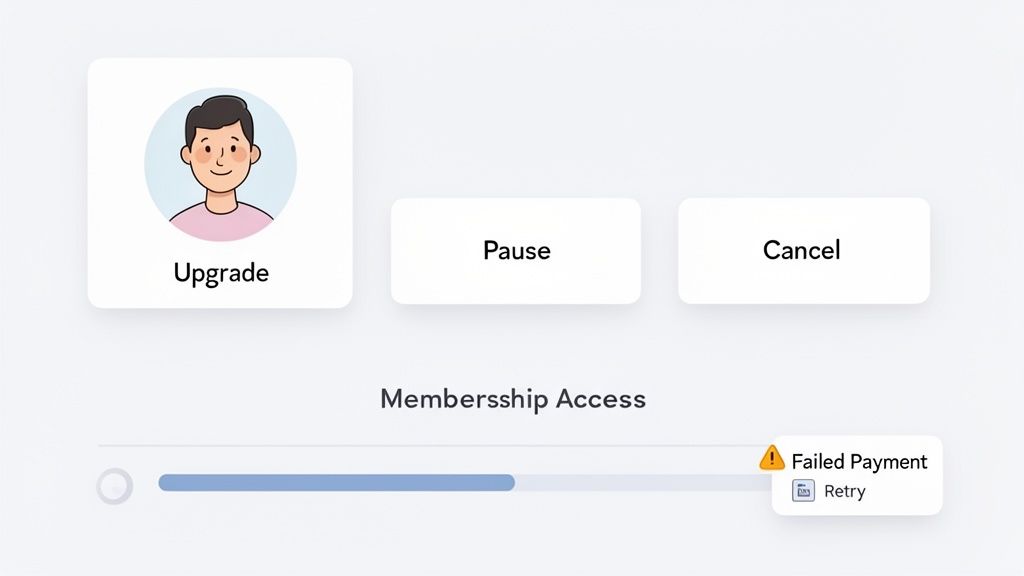
When subscribers can manage their own plans without needing to contact support, you get rid of a huge point of friction. This is where the customer dashboard in WPSubscription becomes your most valuable retention tool. It puts your subscribers right in the driver's seat.
Give Customers Control Over Their Plans
A smooth, self-service portal is a complete game-changer. Inside their account dashboard, WPSubscription lets customers take key actions that directly boost their satisfaction and lifetime value.
Instead of hunting for a "contact us" button, they can simply:
- Upgrade Their Plan: A member of your digital community can seamlessly move from a "Basic" to a "Premium" tier for exclusive content. The proration is handled automatically.
- Pause Their Subscription: If a customer is going on vacation or just needs a break, they can pause their subscription instead of canceling it for good. This keeps the relationship intact.
- Cancel Without Hassle: This might sound counterintuitive, but an easy cancellation process builds incredible trust. A customer who leaves on good terms is far more likely to come back later.
This level of control shifts the customer experience from a rigid contract to a flexible partnership. It shows you respect their choices, which in turn gives them more reasons to stay.
The goal is to make staying easier and more valuable than leaving. By giving customers options like upgrading or pausing, you provide clear alternatives to cancellation—a powerful way to manage subscriptions for long-term retention.
Automate Churn and Revenue Recovery
While empowering customers is a huge win, some churn is just unavoidable—especially involuntary churn from failed payments. This is where automation steps in to protect your revenue. WPSubscription has two powerful features for this: automated dunning and strategic win-back campaigns.
Automated dunning is the process of automatically retrying failed recurring payments. When a credit card expires or a payment fails, the system doesn't just give up. It intelligently retries the charge on a schedule you set and sends automated reminders, prompting the customer to update their payment info. This simple process recovers a ton of revenue that would otherwise be lost.
Then you have win-back email campaigns, which can re-engage customers who have already churned. These automated emails can offer a special discount to rejoin or highlight new features they might be missing. The data shows just how effective this is.
A report based on 76 million subscribers found that while 52% of consumers canceled a subscription due to non-use, targeted win-back strategies successfully recovered nearly 25% of them. You can dive deeper into these findings on Recurly's website. By putting these measures in place, smart WooCommerce store owners are turning potential losses into recovered revenue and building higher customer lifetime value.
Using Admin Tools to Monitor and Troubleshoot Your Business
Running a subscription business means you can't just set it and forget it. Small problems, like a failed payment, can quickly turn into lost customers if you don't catch them. This is where your admin tools become your best friend, giving you a clear view of what’s happening and how to fix things fast.
The WPSubscription backend is designed to be your command post for everything subscription-related. It's built to help you stop revenue leaks before they even start.
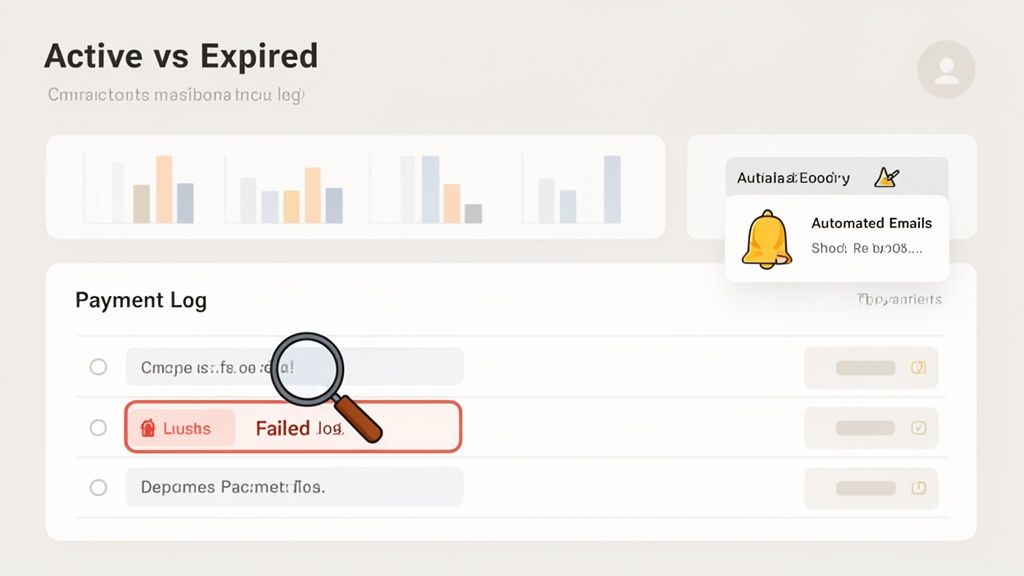
This dashboard gives you a quick snapshot of your business's health. You can immediately see how many subscriptions are active versus how many have been canceled or have expired. It’s the perfect high-level view for spotting trends or seeing if that new retention email you sent is actually working.
Dive into Payment Logs and Notifications
While the overview is great, the real work happens in the details. The WPSubscription admin area lets you dig deep into logs and settings to solve problems before your customer even knows something is wrong. This is how you go from just watching your business to actively managing it.
Your two most important tools here will be:
- Payment Logs: This is your single source of truth for every transaction. It’s a detailed list of every payment attempt—both successful and failed—and your first stop for any billing question.
- Automated Email Notifications: You have full control over the emails sent for key events. You can tweak the copy for upcoming renewals, successful payments, and, most critically, payment failure notifications.
These features work hand-in-hand to keep your business running smoothly. For a more detailed look at these reports, you can learn more about how to track subscriptions on our blog.
A well-managed subscription business isn't one that never has problems—it's one that can identify and solve them quickly. Having direct access to payment logs and email settings turns a potential crisis into a simple administrative task.
A Real-World Troubleshooting Example
Let's walk through a scenario I see all the time. A customer sends a frantic email saying they can't access their membership anymore. Instead of a long, confusing back-and-forth, you can have it solved in just a few clicks.
First, you head straight to the Payment Logs in your WPSubscription dashboard. A quick search for the customer's name pulls up their latest renewal attempt, and you see it's marked as "Failed." The log even gives you the reason code from the payment gateway, like "Insufficient Funds" or "Card Expired."
Now you know exactly what happened. You can confidently reply to the customer, explain that their payment didn't go through, and point them to their account page to update their card. Once they've added a new card, you can even trigger the renewal manually and restore their access on the spot.
That’s what effective subscription management looks like—total clarity and control.
Frequently Asked Questions About Subscription Management
As you start exploring recurring revenue, you're bound to have a few questions. That’s a good thing. Here are some of the most common ones we hear from WooCommerce merchants, along with straightforward answers to help you get started with confidence.
Can I Offer Both One-Time Products and Subscriptions?
Yes, and you absolutely should. A hybrid model is one of the smartest ways to ease into subscriptions without disrupting your existing store.
With a plugin like WPSubscription, you can convert specific products into subscriptions while your other items remain one-time purchases. This gives your customers total flexibility. They might buy a single digital file today but decide to subscribe to your entire library next month. It’s the perfect way to test the waters.
What Happens If a Customer's Recurring Payment Fails?
This is a huge concern for many store owners, but thankfully, it's something that can be handled automatically. WPSubscription uses a process called dunning to manage failed payments without you lifting a finger.
If a customer’s card is declined or expires, the system will automatically retry the charge based on a schedule you set. At the same time, it sends friendly email reminders to the customer, prompting them to update their billing info. This automated workflow saves you countless hours of chasing payments and dramatically cuts down on involuntary churn.
How Can Customers Upgrade or Downgrade Their Plan?
Giving subscribers control over their own plans is the secret to keeping them happy long-term. WPSubscription adds a self-service area to the standard WooCommerce “My Account” page where customers can manage everything themselves.
From this dashboard, they can easily upgrade to a higher tier, downgrade to a more affordable plan, or even pause their subscription.
The best part? The system handles all the billing proration and adjustments automatically. This creates a smooth, professional experience that reduces your support tickets and makes customers feel empowered.
Is This Good for Selling Digital Products or Memberships?
It’s a perfect match. WPSubscription was built with digital businesses in mind, giving you total control over who can access your content.
When someone subscribes, they’re granted access. If their subscription ends or gets canceled, their access is revoked instantly. This makes it an ideal tool for:
- Membership sites offering exclusive articles or videos
- Online courses with different access levels
- Digital download stores that need to protect their files
This level of control is exactly what you need to build a secure and profitable digital subscription business on WooCommerce.
Ready to build predictable, recurring revenue for your WooCommerce store? With WPSubscription, you can launch and manage subscriptions effortlessly, reduce churn, and give your customers the flexibility they demand. Get started with WPSubscription today and take control of your growth.