Your subscription pricing probably made sense when you started. But now? Things change. Costs go up, you add features, and competitors shift their prices around. And you’re sitting there wondering how to adjust your renewal pricing without making everyone mad.
I get it. Renewal pricing feels like walking a tightrope. Charge too much, and people cancel. Charge too little, and you’re basically working for free.
But here’s what most people don’t realize about WooCommerce Subscriptions: you’ve got way more control over renewal pricing than you think.
What Renewal Pricing Means
When someone subscribes to your thing, they pay a price. That’s the signup. Then every month (or year, or whatever), they pay again. That second payment and all the ones after? That’s your renewal pricing.
Now, most folks just set one renewal price and call it a day. Everyone pays the same amount when their subscription renews. Easy to understand, easy to set up. But also kinda boring and definitely limiting.
The renewal pricing you set can be different from your signup price. It can change over time. It can even be different for different groups of customers. Once you wrap your head around that, a whole bunch of possibilities open up.
Why Should You Even Care About Flexible Renewal Pricing
Here’s the thing. If you’re running subscriptions, you’re probably going to need to change your renewal pricing at some point. Maybe not today, maybe not next month, but eventually.
Could be that your costs went up. Could be that you’re adding features that justify higher prices. Could be you realize you underpriced everything and need to fix it before you go broke. Whatever the reason, you’ll want options.
When you set up flexible renewal pricing from the start, you’re basically future-proofing your business. You can increase renewal pricing for new signups while keeping your loyal customers happy at their current rate.
You can drop the renewal pricing for people who stick around long-term as a thank you. You can run promotions without permanently screwing up your pricing structure.
And honestly? Customers expect this kind of thing now. They’ve seen grandfather pricing from every other subscription service out there. When you can’t offer it, you look inflexible.
The Basic WooCommerce Setup
Okay, let’s talk about what you can do right out of the box with WooCommerce.
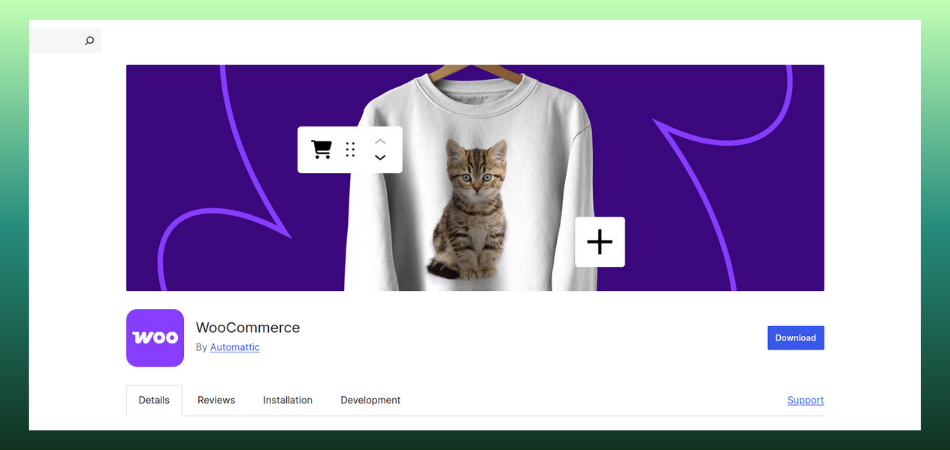
WooCommerce itself is free, which is great. You install it, set up your store, and you’ve got the basic e-commerce functionality. But here’s the thing: plain WooCommerce doesn’t handle subscriptions on its own. It’s built for one-time purchases, not recurring billing.
To run subscriptions, you’ll need to add subscription functionality on top of WooCommerce. There are various plugins that can do this, and we’ll talk about those options in a bit.
Once you’ve got subscription capability added, you create a subscription product. In the product settings, there’s a field called Subscription Price. Whatever number you put there becomes your renewal pricing. So if you type in 50, everyone pays 50 bucks at each billing cycle.
You also pick your billing schedule right there. Monthly, yearly, weekly, whatever works for your business. The renewal pricing you set gets charged at that interval automatically.
Pretty straightforward. But here’s where it gets annoying. That price applies to everyone, always. Customer who signed up three years ago?
Same renewal pricing as someone who signed up yesterday. A customer who’s been with you forever and never missed a payment? Same renewal pricing as the person who just started their free trial.
See the problem? You’ve got no flexibility. And in subscription businesses, flexibility keeps you sane.
How to Actually Get Flexible With Your Renewal Pricing
Alright, so the basic setup is too rigid. What do you do? You’ve got a few different approaches depending on what you’re trying to accomplish.
Keeping Old Customers at Their Original Renewal Pricing
This is called grandfather pricing, and people love it. New customers pay your new, higher renewal pricing, but existing folks stay at whatever they originally signed up for.
The way to do this is surprisingly simple. Just change your subscription product’s base price to the new renewal pricing you want. Anyone who signs up from that point forward pays the new rate. But your existing subscriptions? They keep renewing at their old price automatically because that’s what their subscription record says.
Later on, if you want to bump those old subscriptions up, you’ll need to either do it manually or use a bulk update plugin. But at least you’re not forced to raise everyone’s renewal pricing all at once.
Giving Discounts to the Longer Someone Sticks Around
This one’s clever. Your renewal pricing actually goes down the longer someone subscribes. Maybe you start at 100 a month, then after six renewals drop it to 90, then after a year, make it 80.
Creates a real incentive for people to stick around, right? The longer they stay, the better deal they get on their renewal pricing.
WooCommerce Subscriptions can’t do this by itself, though. You need a plugin like Discounts for WooCommerce Subscriptions. You install it, set up discount rules based on how many renewals someone’s had, and boom. The renewal pricing adjusts automatically.
I’ve seen this work really well for membership sites and SaaS products. People hate it when prices go up, but they really love it when prices go down.
Running Limited Time Pricing That Changes After a Few Months
Sometimes you want to hook people with a low renewal pricing for the first few months, then bump it up once they’re hooked. Like 20 bucks for the first three months, then 35 after that.
This is different from a trial or signup fee. You’re literally changing the renewal pricing itself after a certain point.
Again, you’ll need extra tools to pull this off. AutomateWoo works great for this. You set up a workflow that triggers after X number of renewals and updates the renewal pricing automatically. Just make sure you warn people before the price jumps. Nobody likes surprises on their credit card bill.
Tools You’ll Probably Need
Let me break down the plugins and tools that actually matter for managing renewal pricing beyond the basics.
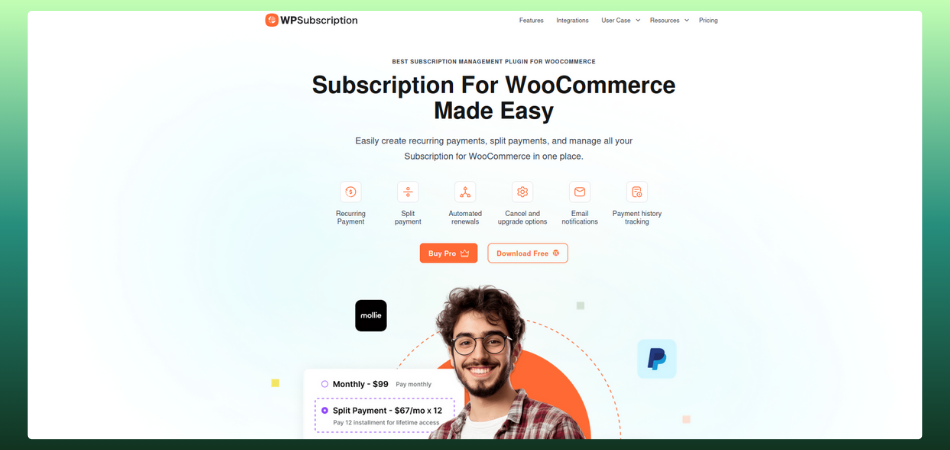
WPSubscription is your foundation plugin. You need this to handle all the basic subscription stuff including simple renewal pricing. It’s built specifically for WooCommerce and gives you the core functionality to run subscriptions properly.
For progressive discounts on renewal pricing (the kind where prices drop over time), grab Discounts for WooCommerce Subscriptions.
It’s built specifically for this and the interface is actually usable. Customers can see their current renewal pricing and what it’ll change to in the future, which is nice for transparency.
If you need complex workflows around renewal pricing, AutomateWoo is your friend. It’s pricier and does a lot more than just renewal pricing, but it’s powerful.
You can trigger renewal pricing changes based on basically anything. Number of renewals, specific dates, customer behavior, whatever.
When you need to update renewal pricing for a bunch of existing subscriptions at once, Bulk Updater for WooCommerce Subscriptions saves your sanity.
Filter your subscriptions however you want, then update renewal pricing for all of them in one shot. Beats manually editing hundreds of subscriptions.
Actually Setting This Up (Step by Step)
Let me walk through a real example so this makes sense. We’re gonna set up a subscription where new people pay 50 a month, but after six months of renewals, that renewal pricing drops to 40.
First, install the WooCommerce Subscriptions plugin and Discounts for WooCommerce Subscriptions. Make sure both are activated and updated.
Create your subscription product. Set the base renewal pricing to 50 per month. This is where everyone starts.
Now hop over to the Discounts plugin. Create a new discount rule. Name it something you’ll remember, like “6 Month Loyalty Discount” or whatever.
Set the discount type to Fixed Amount and put in 10. That’s the discount on the renewal pricing.
For when this kicks in, choose Number of Renewals and set it to 6. So after six successful renewal payments, the renewal pricing drops by 10 bucks.
Decide if this discount is permanent or temporary. For a loyalty thing, you probably want it permanent, so the renewal pricing stays at 40 forever once they hit six renewals.
Save it. Done. From now on, when someone hits their sixth renewal, their renewal pricing automatically drops to 40. They’ll see this in their account, they’ll get charged the new amount, and everything just works.
Test it obviously. Create a test subscription and manually trigger renewals to make sure the renewal pricing actually changes at the sixth one.
Changing Renewal Pricing for People Already Subscribed
This is the scary part. You’ve got active subscriptions, and you need to change their renewal pricing. Maybe you’re raising prices across the board, maybe you’re implementing a new pricing structure, whatever.
First rule: tell people before you do it. Send an email at least 30 days out explaining the renewal pricing change. Be honest about why. Adding features? Costs went up? Just be straight with people.
For the technical side, if you’ve only got like 50 or 100 subscriptions, you can do it manually. Go to each subscription and change the renewal pricing directly. Takes forever, but you have complete control.
More than that? Use Bulk Updater. Filter your subscriptions however you want (by product, by signup date, whatever makes sense), then apply your new renewal pricing to all of them at once.
If you want to be nice about it, use AutomateWoo to schedule the renewal pricing increase for after their next payment. So they pay the old rate one more time before the renewal pricing goes up. Softens the blow a bit.
And definitely update your product page to show the new renewal pricing for anyone signing up fresh. Don’t forget that part, or you’ll end up with mismatched pricing all over the place.
Talking to Customers About Renewal Pricing Changes
How you tell people about renewal pricing changes matters almost as much as the change itself.
Give them time. 30 days minimum, but 60 is better if you can swing it. People hate last-minute renewal pricing surprises.
Explain why. Don’t just say “your renewal pricing is going up.” Say “we’re raising renewal pricing because we added these new features,” or “our costs increased and here’s why,” or whatever the actual reason is. People can handle honesty.
Give them options. Can they switch to a cheaper plan? Lock in current renewal pricing with an annual subscription? Don’t just hit them with a price increase and no alternatives.
Make the new renewal pricing visible everywhere. Their account dashboard should show exactly what they’re paying now and what they’ll pay after any changes. Same with emails. No hidden renewal pricing changes.
Consider making an FAQ specifically about renewal pricing. How often might renewal pricing change? Do old customers get special treatment? How do they check their current renewal pricing? All that stuff. Link to it from your renewal pricing change emails.
How Different Payment Gateways Handle Renewal Pricing
Your payment gateway can actually affect how renewal pricing changes work. Stripe makes it easy. When you change a subscription’s renewal pricing in WooCommerce, Stripe just charges the new amount at the next renewal. No fuss.
PayPal works similarly, but they’ll sometimes flag big renewal pricing changes for review. Keep increases under 20 percent if you can to avoid that.
Paddle works more easily, so renewal pricing changes sync automatically. Easy.
Authorize.Net can be annoying. Big renewal pricing changes might require you to cancel the old subscription and create a new one. Not great for customer experience.
The lesson here is to test renewal pricing changes with your specific gateway before rolling them out to everyone. Process a test subscription, change the renewal pricing, let it renew, and make sure everything works.
Mistakes to Avoid
Don’t change renewal pricing without updating your terms of service. You need to be allowed to change pricing with notice. Make sure your terms cover this.
Don’t change renewal pricing constantly. Pick a schedule, maybe annual pricing reviews, and stick to it. Monthly renewal pricing changes make you look flaky.
Don’t hide renewal pricing anywhere. Make it super obvious what people are paying now and what they’ll pay in the future.
Don’t forget to actually update the renewal pricing in your payment gateway too, not just in WooCommerce. Some gateways cache the amount.
Don’t apply renewal pricing changes backwards. If you raise prices, don’t charge people more for the time they already used. Changes apply to future renewals only.
And seriously, test everything. Renewal pricing bugs can really mess up your customer relationships and your accounting.
Tracking Whether This Is Actually Working
You need to know if your renewal pricing strategy is helping or hurting your business.
Watch customer lifetime value. Are people with lower renewal pricing actually staying longer? Sometimes, a lower renewal pricing brings in more total revenue over time than a higher one with lots of churn.
Track churn after renewal pricing changes. If cancellations spike after you raise renewal pricing, you probably went too high or didn’t communicate well enough.
Look at support tickets about renewal pricing. Lots of confused customers mean you need better communication. A few questions mean people understand what’s happening.
Check revenue per customer at different renewal pricing tiers. Sometimes you’ll discover that your mid-tier renewal pricing actually generates the most total revenue because the conversion and retention balance out better.
Run cohort analysis comparing people who signed up at different renewal pricing points. This tells you if your grandfather’s renewal pricing is worth the complexity or if you should just raise everyone’s price.
Review all this quarterly and adjust. Maybe loyalty discounts on renewal pricing work better than you thought. Maybe price increases had less impact than you feared. Use actual data to guide your renewal pricing decisions.
Different Types of Businesses Need Different Approaches
Membership sites work great with access-based renewal pricing. Basic members pay one renewal price for standard content, and premium members pay more for everything. Let people move between tiers easily.
Subscription boxes should tie renewal pricing to actual product value. If you’re sending more expensive stuff, charge more for that renewal. If a box is cheaper to fulfill, maybe lower the renewal pricing for that cycle.
Coaching or consulting subscriptions need usage-based renewal pricing. Heavy users who book lots of hours pay more for renewals. Light users pay less. Keeps it fair.
SaaS products benefit from feature-based renewal pricing. As you add features, you can raise renewal pricing for new customers while keeping old ones at their rate. Rewards loyalty while capturing value from improvements.
Seasonal businesses might want variable renewal pricing based on peak and slow times. Charge higher renewal pricing during busy season, drop it in slow months to keep people subscribed year-round.
Wrapping This Up
Renewal pricing flexibility gives you room to grow your subscription business without constantly fighting with your pricing structure or ticking off loyal customers.
Start simple. Use the WPSubscription plugin and get comfortable with basic renewal pricing first. Then add tools like the Discounts plugin or AutomateWoo when you need more control.
Always be straight with people about renewal pricing changes. Give them notice, explain why, and show them options. Transparency beats surprises every time.
Remember that renewal pricing isn’t just about squeezing maximum revenue out of every customer. It’s about building a sustainable subscription business where customers feel valued, and you can adapt to changing circumstances. Get that balance right, and everyone wins.